
GIMP Alternative: 4 Best Free & AI Photo Editors in 2026
Looking for a GIMP alternative? Compare the 4 best free, web-based, and AI photo restoration tools with zero learning curves and automated defect repair.
For decades, GIMP has stood as the premier open-source image editor, offering creators a free alternative to commercial suites. However, as photo editing workflows shift toward speed and automation, an increasing number of users are actively searching for a modern gimp alternative. While GIMP delivers tremendous manual depth, its steep learning curve, complex modular interface, and lack of automated AI workflows create substantial friction for everyday tasks.
When your core objective is repairing photographic flaws—such as eliminating flash glare from eyeglasses, clearing window reflections, restoring vintage paper scratches, or upscaling low-resolution scans—GIMP forces you through tedious manual brushwork. Users must sample source pixels, calibrate clone stamps, and paint dozens of corrective strokes by hand. If you simply want fast, high-fidelity visual results without complex scripting, switching to a dedicated gimp alternative saves hours of manual effort.
To help you discover the ideal gimp alternative, we evaluated the top free, web-based, and lightweight solutions in 2026. For instant neural photo restoration and reflection cleanup without manual brushing, CrispFix provides specialized single-click AI models directly in your browser. For full-scale layer manipulation without downloads, Photopea brings Photoshop-grade editing to any web tab. For streamlined desktop adjustments on Windows, Paint.NET delivers an intuitive workspace. And for complex open-source scripting, GIMP remains the established benchmark.
Note: This site operates CrispFix and we've aimed to evaluate all tools objectively.
Quick Decision Guide (TL;DR)
- Best for Instant AI Photo Restoration & Glare Removal: CrispFix serves as an automated gimp alternative, delivering specialized neural inpainting to erase glasses glare, reflections, and vintage scratches in a single click with zero learning curve.
- Best for In-Browser Photoshop & Multi-Layer Editing: Photopea is a versatile web-based gimp alternative that runs entirely in your browser with native support for PSD, XCF, and Sketch files, providing full layer control without local installation.
- Best for Lightweight Windows Desktop Editing: Paint.NET offers an accessible, fast-launching desktop gimp alternative with layer support for users overwhelmed by GIMP's complexity.
- Best for Scriptable Open-Source Compositing (Benchmark): GIMP remains the gold standard for offline multi-layer image synthesis, custom Python/Scheme plugins, and unrestricted GPLv3 licensing.
Why Look for a GIMP Alternative?
With over 320 monthly searches in the US alone for replacement workflows, demand reflects a clear shift toward streamlined editing. While GIMP has provided immense value to open source since 1995, modern creators frequently seek a dedicated gimp alternative due to three primary limitations:
1. Steep Learning Curve and Complex Modular UI
GIMP's interface presents dozens of nested tool options, unintuitive dockable dialogs, non-standard keybindings, and complex layer hierarchies. Beginners who merely want to crop a portrait, fix lighting, or touch up a snapshot often spend hours consulting manuals just to locate basic functions. A streamlined gimp alternative eliminates this friction with clean, focused workflows.
2. Absence of Automated AI-Powered Defect Repair
Modern photography demands intelligent automation. In GIMP, removing a severe scratch from an old print or eliminating flash glare from eyeglasses requires manual clone stamping and healing brush strokes. This approach is time-consuming and frequently leaves unnatural smudges. A dedicated neural gimp alternative analyzes facial anatomy and lighting to reconstruct missing details automatically in seconds.
3. Heavy Desktop Installation vs. Instant Web Accessibility
Running GIMP requires downloading a sizable desktop package and maintaining updates. Modern web-based solutions allow you to upload an image, apply neural processing, and export high-resolution results instantly from any browser without complex setup.
GIMP Alternatives Feature & Pricing Comparison
| Tool | Pricing & License | Learning Curve | AI Neural Automation | Best For |
|---|---|---|---|---|
| CrispFix | 100% Free Web (No account required) | Zero (Instant 1-Click) | Dedicated Neural Glare, Scratch & Defect Inpainting | Automated photo defect repair, glare removal & vintage enhancement |
| Photopea | Free with Ads (optional Premium tier) | Moderate (Photoshop-like) | Basic AI cutouts & healing tools | Browser-based multi-layer PSD editing & graphic design |
| Paint.NET | Free on Windows (optional paid Store edition) | Low to Moderate | None built-in (Community plugin support) | Fast, lightweight desktop photo adjustments on Windows |
| GIMP (Benchmark) | Free and Open Source (GPLv3) | Steep (Pro-grade manual tools) | None native (Requires manual brushwork or external scripts) | Advanced multi-layer manipulation & scriptable offline workflows |
Detailed Reviews: The Top 4 GIMP Alternatives
1. CrispFix — Best for One-Click AI Photo Restoration & Glare Removal
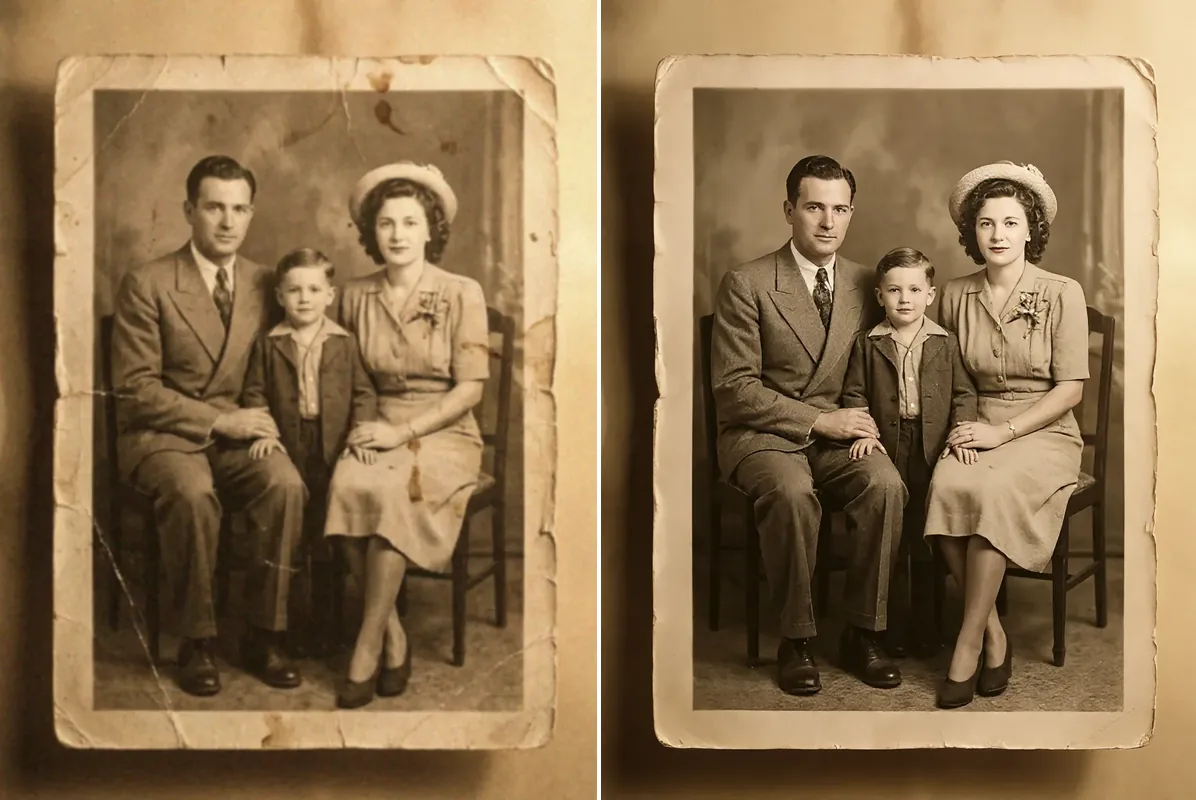
When your primary challenge involves photographic flaws, optical reflections, or damaged historical prints, using traditional raster software like GIMP is an inefficient route. GIMP treats every defect as a manual painting problem. If a subject's eyes are obscured by flash on spectacles, a user in GIMP must manually clone adjacent skin, paint simulated eye contours, and blend lighting—a process requiring advanced retouching skills.
CrispFix is an AI-powered gimp alternative engineered specifically to solve photo restoration challenges through automated neural inpainting, including 1-bit thresholding via convert image to pure black and white. CrispFix leverages specialized computer vision models for fast restoration:
-
Specialized Reflection Removal: The dedicated glasses glare removal tool reconstructs natural iris textures, eyelids, and skin folds hidden beneath flash reflections without altering facial geometry.
-
Ambient Light & Flare Cleanup: The photo glare remover isolates specular highlights from window panes and glass surfaces while preserving ambient shadows.
-
Archival Restoration: The automated old photo restoration engine detects and fills tears, creases, and dust speckles on vintage family prints without manual clone stamping.
-
Detail Reconstruction & Color: Users can also access the free AI image resolution enhancer to upscale blurry scans and the vintage photo colorizer to restore natural palettes to monochrome images.
-
Where it shines: Instant, zero-learning-curve photo defect correction; 100% free web processing without mandatory registration, watermarks, or credit limits; neural precision on complex human facial features.
-
Where GIMP is better: GIMP provides extensive manual layer hierarchies, CMYK separation plugins, RAW development, and pixel-level brush manipulation that automated restoration engines do not target.
-
Pricing: 100% Free web access with full-resolution downloads.
-
Verdict: CrispFix is the best gimp alternative whenever you need to fix damaged photos, erase optical glare, or restore vintage prints in seconds without learning complex desktop editing tools.
2. GIMP (Reference Benchmark) — The Open-Source Multi-Layer Powerhouse
To evaluate fairly, it is essential to highlight why GIMP remains a cornerstone of open source. Created as the GNU Image Manipulation Program, GIMP provides professional raster graphics tools free of charge under the GPLv3 license.
GIMP remains unmatched for deep, multi-layer open-source image manipulation, raw channel editing, and custom scriptable filter pipelines without licensing fees. Powered by the high-bit-depth GEGL (Generic Graphical Library) processing engine, GIMP supports non-destructive 32-bit floating-point color processing per channel, allowing precision adjustments across expansive color spaces.
Furthermore, GIMP boasts an extensive automation ecosystem. Its vast repository of community plugins—including G'MIC (GREYC's Magic for Image Computing)—expands its filtering capabilities far beyond conventional desktop packages.
- Where it shines: True open-source software freedom with zero subscription fees; powerful multi-layer compositing, layer masks, and custom blend modes; cross-platform availability on Linux, macOS, and Windows; complete offline privacy for sensitive visual assets.
- Where alternatives are better: CrispFix restores damaged portraits and clears reflections in seconds through neural AI; Photopea provides a browser-based gimp alternative with native PSD compatibility; Paint.NET delivers a lightweight gimp alternative with an intuitive interface for everyday edits.
- Pricing: Free and Open Source (GPLv3).
- Verdict: GIMP remains the ultimate choice for technical creators, Linux users, and budget-conscious designers who require comprehensive desktop layer control and are willing to master its complex interface.
3. Photopea — Best In-Browser Photoshop & GIMP Alternative
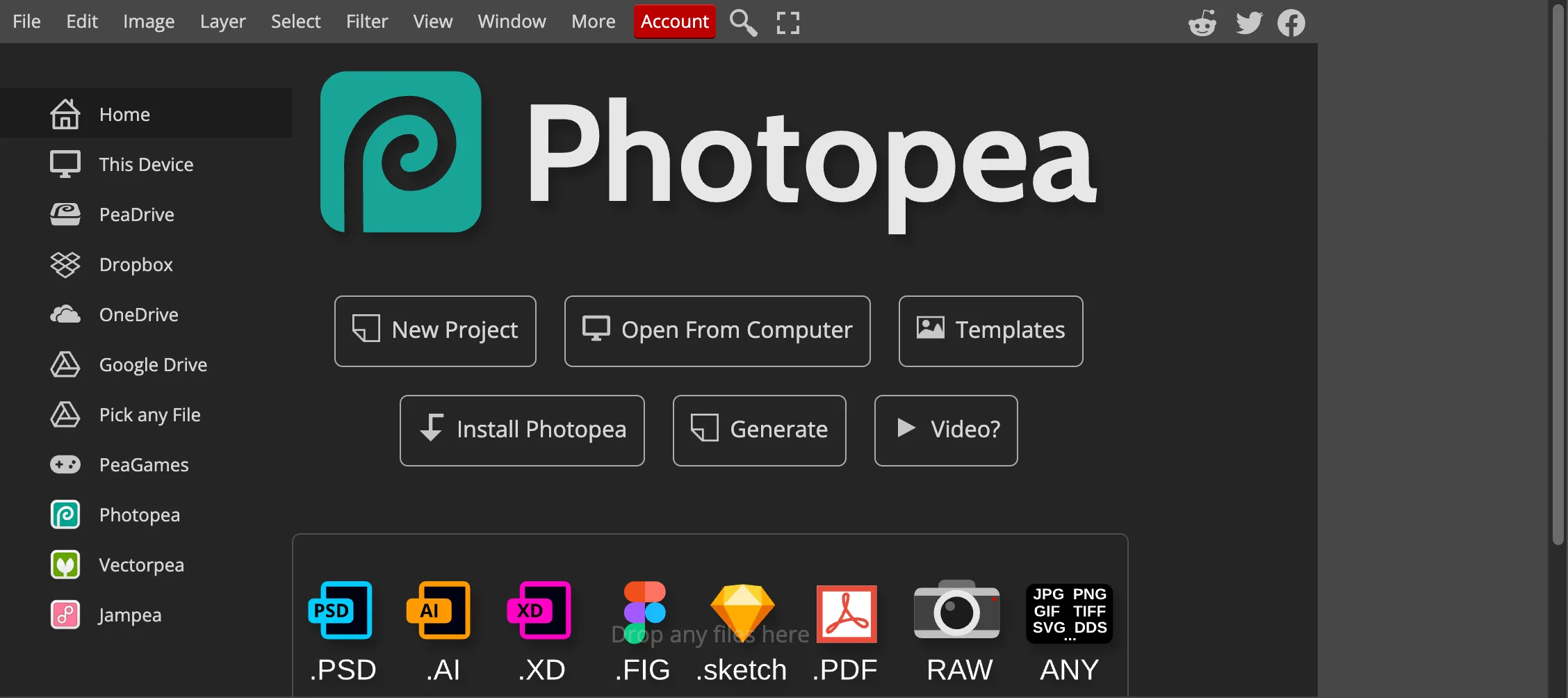
For designers and editors who find GIMP's layout frustrating or who cannot install desktop software, Photopea serves as an extraordinary web-based gimp alternative. Developed by Ivan Kutskir, Photopea runs entirely inside any modern web browser using client-side WebAssembly, ensuring your files are processed locally on your device without remote server uploads.
Photopea adopts the familiar layout, keyboard shortcuts, and layer conventions of Adobe Photoshop, making it significantly more intuitive for digital artists than GIMP's custom interface. It provides native support for opening, editing, and saving Adobe Photoshop (.PSD), GIMP (.XCF), Sketch, Adobe XD, and PDF files.
Because it runs directly in the browser, you can work seamlessly across desktop workstations, laptops, and Chromebooks without configuring software packages.
- Where it shines: Zero installation required across any operating system; seamless compatibility with PSD and native GIMP XCF files; familiar Photoshop-like interface and industry-standard shortcut keys; robust client-side performance.
- Where GIMP and AI tools differ: GIMP handles multi-gigabyte files with heavy memory paging more reliably on offline systems, while CrispFix functions as an automated gimp alternative that repairs optical flaws using neural networks rather than requiring manual selection tools.
- Pricing: Free with sidebar advertising; optional Premium tier removes ads and unlocks extended AI generative credits.
- Verdict: Photopea is the premier browser-based gimp alternative for users who need full multi-layer raster editing and PSD compatibility without installing native desktop software.
4. Paint.NET — Best Lightweight Windows Desktop Editor
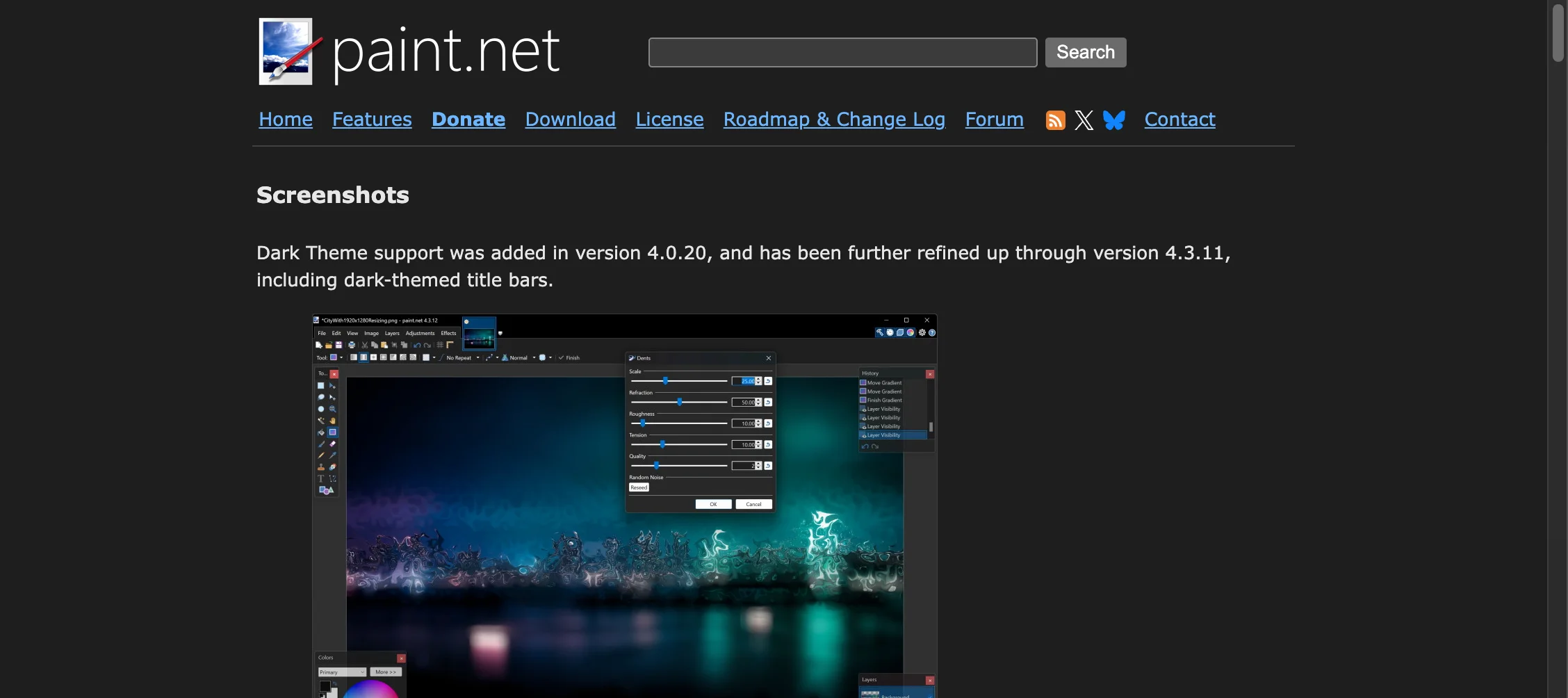
For Windows creators seeking a desktop program that avoids GIMP's steep learning curve while offering far more power than basic Paint, Paint.NET is the ideal lightweight gimp alternative. Originally created as a student project mentored by Microsoft, Paint.NET has matured into one of the most reliable and accessible image editors on Windows.
As an accessible gimp alternative, Paint.NET features a streamlined, tabbed interface that allows users to manage multiple open documents effortlessly. Unlike GIMP's dense dockable window system, Paint.NET organizes tools, layers, and history panels into clean floating panes that keep your canvas clutter-free.
Despite its lightweight footprint and fast startup time, Paint.NET supports full multi-layer compositing, transparency masks, curves adjustments, levels correction, and noise reduction filters. A dedicated community forum provides a wide range of user-created plugins that add support for additional file formats, custom blur filters, and specialized color grading tools.
- Where it shines: Fast launch times and minimal system memory usage; highly intuitive user interface that beginners can navigate immediately; comprehensive layer editing for everyday adjustments, cropping, and annotations.
- Where other options differ: GIMP offers superior cross-platform support and deeper scripting automation, while CrispFix serves as a specialized gimp alternative for automated AI neural defect recovery without manual cloning.
- Pricing: Free download from the official website (getpaint.net); optional paid Microsoft Store edition to support project development and receive automatic background updates.
- Verdict: Paint.NET is the best desktop gimp alternative for Windows users who want fast, responsive layer editing without navigating GIMP's complex tool menus.
How to Choose the Right GIMP Alternative for Your Workflow
Finding the most effective gimp alternative depends directly on your project requirements, technical comfort level, and operating environment:
- Choose CrispFix if your primary goal is fixing photographic defects: As a dedicated AI gimp alternative, CrispFix eliminates camera flash glare from glasses, removes reflections from photos, reconstructs torn vintage prints, and upscales blurry images in seconds without manual brushwork.
- Choose Photopea if you need complete multi-layer editing in a browser: If you want Photoshop-style layer masks, PSD compatibility, and graphic design capabilities on any device without software installation, Photopea is the most versatile web-based gimp alternative.
- Choose Paint.NET if you want a fast, lightweight Windows desktop editor: If GIMP feels overly complicated for your daily cropping, resizing, color adjustments, and basic layer composition, Paint.NET is a proven Windows gimp alternative with a clean, responsive workspace.
- Stick with GIMP if you require open-source scripting and offline freedom: If you need non-destructive 32-bit GEGL image processing, custom Python or Scheme automation, CMYK separation, and complete offline privacy under an open-source GPLv3 license, GIMP remains the benchmark desktop solution.
Frequently Asked Questions
What is the easiest free GIMP alternative for beginners?
For automatic photo restoration and reflection cleanup, CrispFix is the easiest free gimp alternative because its neural AI models repair defects in a single click with zero learning curve. For general graphic design and multi-layer photo editing, Paint.NET (on Windows) and Photopea (in any web browser) offer far more intuitive, accessible interfaces than GIMP without sacrificing essential layer tools.
Why do many users look for an alternative to GIMP?
While GIMP is exceptionally powerful, users frequently seek a gimp alternative because of GIMP's steep learning curve, non-standard user interface, complex keybindings, and lack of modern automated AI features. Tasks such as removing reflections, repairing scratches, or cleaning lens glare require tedious manual cloning in GIMP, whereas modern AI tools accomplish these restorations automatically.
Can GIMP automatically remove glasses glare or restore damaged old photos?
GIMP does not include native automated AI restoration models. To remove glasses glare or repair old scratched photos in GIMP, you must manually use the Clone Stamp, Healing Brush, and Smudge tools while sampling nearby pixels. This manual process requires significant artistic skill and time. In contrast, specialized AI tools like CrispFix automatically detect optical flaws and reconstruct underlying textures in seconds.
Is Photopea really a viable alternative to GIMP?
Yes, Photopea is an outstanding gimp alternative. It runs client-side in any modern web browser via WebAssembly and supports opening and saving native GIMP (.XCF) files as well as Photoshop (.PSD) documents. It provides layer masks, blend modes, adjustment layers, and vector tools in a layout that many creators find substantially easier to navigate than GIMP.
Is Paint.NET available on Mac or Linux?
Paint.NET is built specifically on Microsoft's .NET framework and is only available for Windows operating systems. If you are on macOS or Linux and looking for a lightweight gimp alternative, Photopea (web-based) and CrispFix (web-based) run seamlessly across all operating systems without installation.
Start Restoring and Enhancing Your Photos Today
You do not need to spend hours mastering complex desktop toolbars or manually brushing away image defects. Experience the power of single-click neural editing with CrispFix's suite of free creative tools:
- Fix portrait flash reflections instantly with the glasses glare remover.
- Clear distracting surface reflections using the photo glare remover.
- Bring historical family albums back to life with old photo restoration.
- Enlarge and sharpen low-resolution images with the AI image resolution enhancer.
- Add vibrant, authentic colors to monochrome scans using the vintage photo colorizer.