
Snapseed Alternative: 6 Best Free & Modern Photo Editors in 2026
Looking for a Snapseed alternative? Compare the 6 best free, browser, and mobile photo editors for AI restoration, precise curves, and zero paywalls.
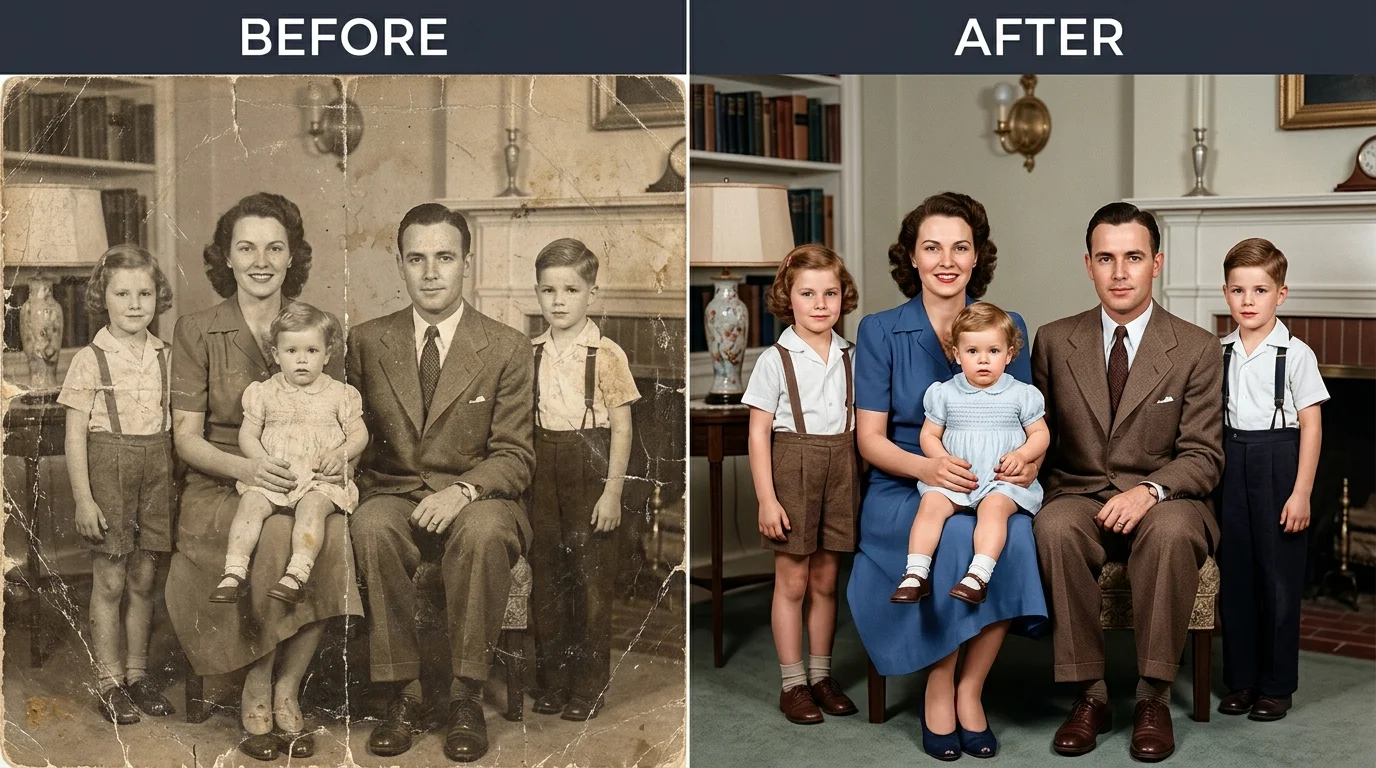
Snapseed earned a loyal following among mobile photographers after Google acquired Nik Software and turned its professional darkroom tools into a free mobile app. With its signature U Point selective adjustments, granular curves, and absence of banner ads, it delivered desktop-grade manual control to handheld touchscreens. However, mobile imaging expectations have evolved significantly. Many creators now require instant browser access, automated image defect repair, and cross-platform desktop syncing. Because Snapseed remains strictly confined to mobile devices—having discontinued its desktop client years ago—finding a versatile snapseed alternative has become an essential search for creators.
A primary limitation lies in manual editing friction. While Snapseed provides exceptional tactile control over exposure and tone, it requires users to manually brush, heal, and tune individual pixels. It lacks modern neural models to restore torn vintage prints, upscale low-resolution scans, or clear optical flash reflections from eyeglasses. When users need clean, automated results without spending twenty minutes sliding control points on a phone screen, a dedicated snapseed alternative provides immediate browser accessibility, automated neural reconstruction, or cross-platform cloud sync.
Depending on your creative priorities, the ideal snapseed alternative varies. For automated one-click neural restoration and optical reflection removal directly inside your browser, CrispFix serves as an unmetered, zero-cost snapseed alternative. For professional raw capture and advanced mobile color grading, Adobe Lightroom Mobile functions as a leading snapseed alternative. For desktop-grade PSD layer manipulation on any computer, Photopea offers a robust browser-based snapseed alternative, while Pixlr and VSCO deliver agile alternatives for social templates and analog film styling.
Note: This site operates CrispFix and we've aimed to evaluate all tools objectively.
Key Takeaways (TL;DR)
- Best for One-Click AI Photo Restoration & Glare Removal: CrispFix repairs scratched family prints, eliminates eyeglasses reflections, and colorizes vintage scans in any browser with zero paywalls.
- Best for Professional Mobile RAW & Color Grading: Adobe Lightroom Mobile provides industry-standard color calibration, selective masking, and cloud organization for serious mobile photographers.
- Best for In-Browser Layered Editing & PSD Support: Photopea delivers Photoshop-level layer masks, clone stamps, and vector adjustments on desktop and web browsers without installation.
- Best for Fast Browser Retouching & Quick Templates: Pixlr pairs rapid slider-based photo corrections with pre-sized social layout templates.
- Best for Curated Film Presets & Creator Aesthetic: VSCO excels at analog film simulations and mobile community publishing.
- Benchmark for Manual Mobile Darkroom Control: Snapseed still provides the deepest collection of 100% free manual tools (curves, selective control points, perspective) on iOS and Android if you do not mind manual editing.
Snapseed Alternatives Feature & Pricing Comparison
The comparison table below contrasts free allowances, standout capabilities, platform availability, and practical use cases across top contenders:
| Tool | Free Tier Allowance | Standout Strength | Supported Platforms | Ideal Creative Workflow |
|---|---|---|---|---|
| CrispFix | 100% free; unmetered web processing; no watermarks | Automated neural restoration & glare removal | Web (All modern browsers) | Restoring damaged portraits & vintage family prints |
| Snapseed (Benchmark) | 100% free; 30+ pro tools; zero ads or purchases | Precision selective control points & curves | iOS, Android | Meticulous manual exposure tuning on touchscreens |
| Adobe Lightroom Mobile | Base capture tools & core sliders; premium presets | Cloud syncing & professional raw camera profiles | iOS, Android, macOS, Windows | Professional mobile-to-desktop photography cataloging |
| Photopea | Full layer suite supported by non-intrusive ads | Native PSD compatibility & advanced layer masks | Web (All browsers) | Complex multi-layer photo composition on desktop |
| Pixlr | 3 daily file saves; ad-supported editing interface | Express slider adjustments & collage presets | Web, iOS, Android | Rapid daily image cropping, framing, and touchups |
| VSCO | Starter film presets & basic exposure adjustment | Curated analog film simulations & visual community | iOS, Android | Stylized portrait grading & artistic film aesthetics |
(Note: All pricing, tool allowances, and platform details verified against official app store listings and documentation as of September 2026).
Why Consider a Snapseed Alternative?
While Snapseed remains an impressive free editor, creators encounter practical constraints that prompt them to seek an updated snapseed alternative:
1. No Official Web Version or Desktop Software
Google discontinued Snapseed 1.6 for desktop, leaving the application exclusively on iOS and Android. If you capture photos on a dedicated camera or edit images on a laptop, you must transfer files to your smartphone. A modern browser-based photo editor eliminates this file transfer barrier by running directly on your computer without software installation.
2. Manual Clone Stamping vs. Neural Defect Inpainting
Snapseed's Healing tool operates as a basic clone brush. When repairing physical tears across aged photographs or eliminating flash reflections from glasses, manual cloning frequently smears skin tones and destroys underlying photographic grain. A neural restoration tool automates pixel reconstruction, recovering lost textures cleanly.
3. Lack of Automated Batch Restoration
Snapseed requires users to adjust each photograph manually through selective control points and tone curves. For archivists and family historians handling dozens of vintage scans, an automated batch workflow drastically reduces turnaround time.
Detailed Reviews: The Top 6 Snapseed Competitors
1. CrispFix — Best for One-Click AI Restoration & Glare Removal
When working with vintage prints or portraits marred by flash bounce, Snapseed requires tedious manual brushwork that often leaves visible smudges. CrispFix operates as a specialized snapseed alternative engineered to rebuild missing image details automatically through neural inpainting models.
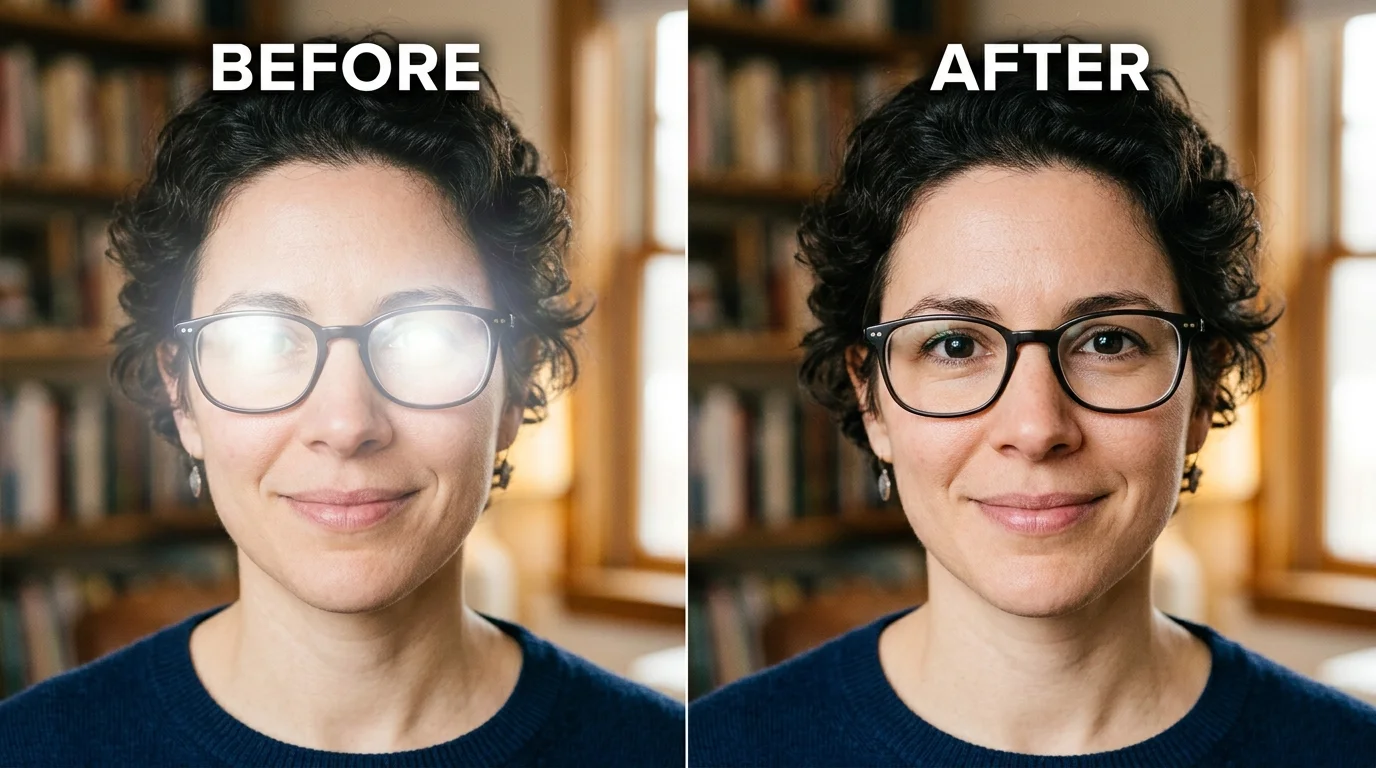
Instead of forcing users to paint clone masks by hand, CrispFix provides an automated utility to remove reflection from photo scenes, clearing lens glare while maintaining natural ambient illumination. For portrait photographers whose subjects wear eyeglasses, its targeted algorithm lets you remove glasses glare from photo compositions and lenses without blurring iris textures. Archival collectors can utilize its old photo restoration online free engine to heal physical surface cracks, creases, and age spots within seconds. To finish historical restorations, users can apply an AI colorize photo online free tool to convert black-and-white portraits into naturally balanced color images.
- Where it shines: Dedicated neural inpainting models for scratch removal, lens reflection cleanup, and facial detail reconstruction; runs directly in web browsers on desktop or mobile without software downloads; 100% free with no watermarks, account requirements, or processing quotas.
- Where Snapseed is better: Snapseed offers granular manual controls, such as individual RGB tone curves, double exposure layering, and selective radial adjustment points that CrispFix does not attempt to replicate.
- Pricing: 100% free web utility with unmetered processing and direct full-resolution downloads.
- Verdict: Choose CrispFix as your snapseed alternative whenever your goal is repairing damaged photos, upscaling old scans, or eliminating flash glare without manually painting out flaws.
2. Snapseed — The Benchmark for Free Mobile Manual Editing
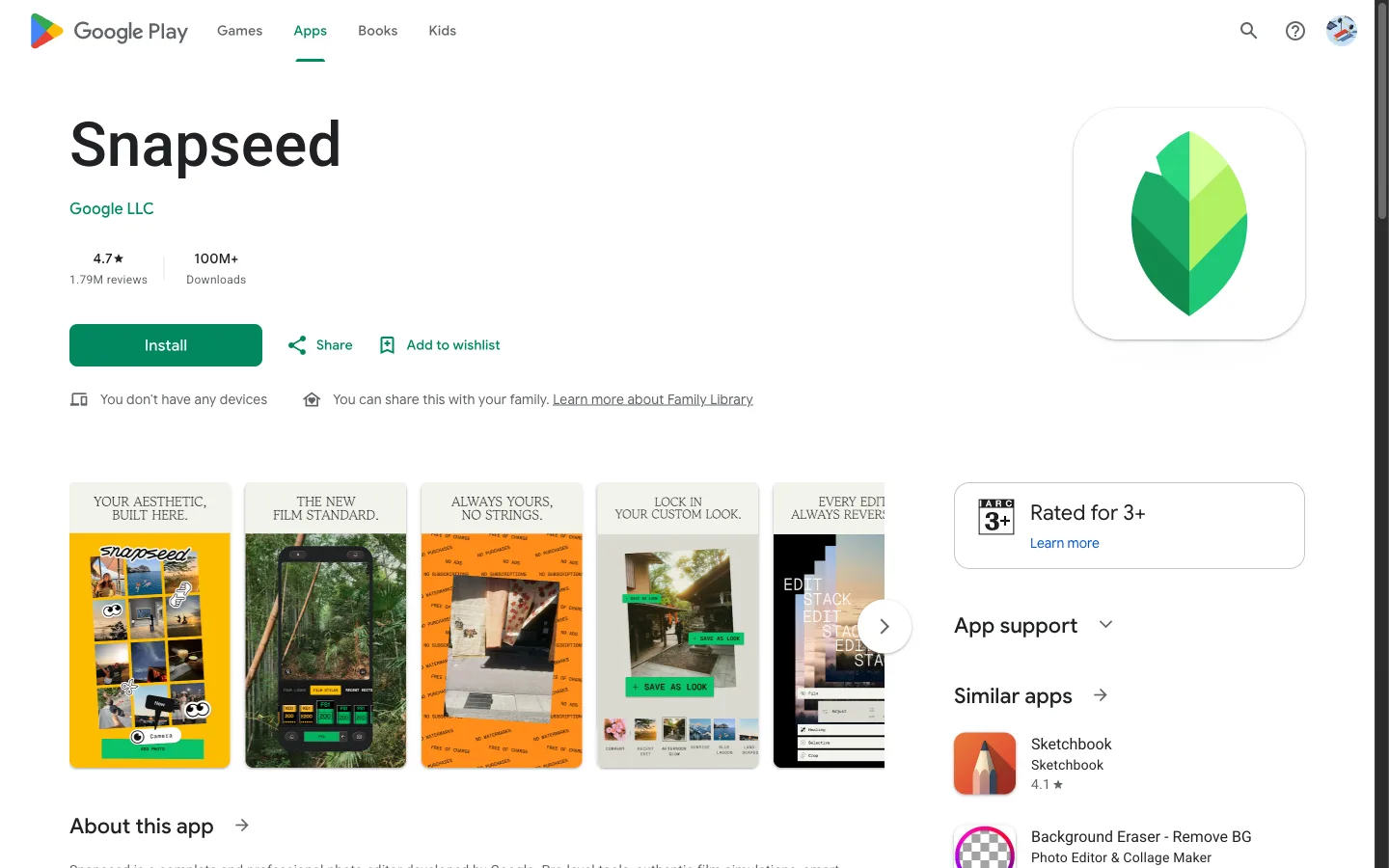
Google Snapseed remains an extraordinary achievement in free mobile software. Maintained by Google LLC with official documentation on the Google Snapseed Help Center and over 1.8M reviews on Google Play with an average 4.76 rating, it delivers 30+ pro tools and filters completely free of charge. Users encounter no subscription plans, no locked editing modules, no export watermarks, and zero advertising interruptions.
Snapseed is distinguished by its proprietary U Point selective adjustment technology. Placing a control point on any portion of your photo lets you adjust luminance, contrast, and saturation within an adjustable radius without manual masking. Its Curves module provides independent tonal mapping across RGB and luminance channels, while the Perspective tool recalculates geometric alignment for urban architecture.
Nevertheless, Snapseed operates within clear boundaries. Google discontinued the desktop version (Snapseed 1.6), and there is no official web application. Creators working on desktop computers must transfer files back and forth to their phones. Furthermore, its toolset remains strictly focused on manual adjustments, lacking automated AI repair for damaged physical prints.
- Where it shines: Unmatched manual precision for a free mobile application; selective control points adjust isolated areas quickly; full RAW file develop module on mobile; completely free with zero monetization hurdles.
- Where alternatives are better: It lacks a web version or desktop software; healing tools are rudimentary clone stamps rather than generative inpainting; zero automated batch restoration tools.
- Pricing: 100% free on iOS and Android with no in-app purchases.
- Verdict: Keep Snapseed on your phone for manual color grading and selective tonal balancing, but consider a companion snapseed alternative for automated restoration or desktop editing.
3. Adobe Lightroom Mobile — Best for Professional Color Grading & Cloud Ecosystem
For photographers seeking an advanced mobile snapseed alternative, Adobe Lightroom Mobile provides desktop-grade image processing algorithms directly on handheld devices. While Snapseed treats each photo as an isolated file, Lightroom operates as an integrated digital asset manager and non-destructive darkroom.
Lightroom Mobile excels in color grading precision. Its Color Grading wheels allow you to balance hues in shadows, midtones, and highlights independently. Its camera module captures uncompressed DNG RAW files with manual shutter speed, ISO, and manual focus controls. As a dedicated snapseed alternative, its raw processing pipeline delivers desktop-class calibration. For photographers already subscribed to Adobe Creative Cloud, edits synchronize automatically between iPad, mobile phone, and desktop computers.
The primary hurdle is cost. While Adobe offers a functional free tier for basic sliders and default presets, premium capabilities—including AI selective masking, geometry perspective correction, healing brushes, and cross-device cloud sync—require a paid subscription.
- Where it shines: Industry-standard color science and raw conversion engine; advanced selective masking using subject and sky detection; smooth catalog synchronization between mobile and desktop devices.
- Where Snapseed is better: Snapseed provides selective adjustments and perspective correction 100% free, whereas Lightroom locks advanced masking and geometry correction behind a paid monthly plan.
- Pricing: Free tier covers basic adjustments and capture mode; Premium upgrade costs $4.99 per month (or $29.99 per year) with 100 GB cloud storage and full selective editing tools.
- Verdict: Pick Lightroom Mobile as your snapseed alternative if you shoot raw photographs and prioritize professional color consistency across mobile and desktop workflows.
4. Photopea — Best for In-Browser Advanced Layer Editing & PSD Compatibility
If you appreciate Snapseed's manual depth but feel restricted by editing on a compact phone screen, Photopea provides the most capable desktop snapseed alternative. Operating entirely inside web browsers, Photopea functions as an in-browser companion to Photoshop and a versatile gimp alternative for editors who prefer mouse precision and keyboard shortcuts.
Unlike mobile editors that flatten adjustments into sequential destructive steps, Photopea supports non-destructive adjustment layers, layer masks, blend modes, and smart objects. It opens native PSD, XCF, and camera RAW formats directly from your local drive without transmitting your files to external servers. This architecture makes it a powerful in-browser snapseed alternative for detailed multi-layer projects.
Photopea is supported by non-intrusive banner advertisements positioned along the workspace edge. Creators who prefer an ad-free interface can subscribe to its Premium tier to remove banners and increase history steps.
- Where it shines: Complete layer-based photo workspace running in any web browser; full support for PSD, AI, and RAW files; extensive manual selection tools, clone stamps, and vector pen paths.
- Where Snapseed is better: Snapseed's swipe-to-adjust touch interface is much easier to operate on mobile phones, whereas Photopea's dense menu structure is designed primarily for mouse and keyboard usage.
- Pricing: 100% free with side banner ads; Premium tier costs $5 per month (or $40 per year) to remove advertisements, expand undo history from 30 to 60 steps, and unlock 5 GB Peadrive cloud storage.
- Verdict: Choose Photopea as your snapseed alternative if you want deep, layer-based photo editing on a laptop or desktop computer without installing bulky desktop software.
5. Pixlr — Best for Fast Browser Touchups & Social Templates
Pixlr has served as a reliable browser photo editor for over a decade. As an accessible snapseed alternative, Pixlr offers two distinct editing modes: Pixlr E (tailored for creators requiring layer manipulation) and Pixlr X (designed for rapid express adjustments, cropping, and instant filters).
Pixlr bridges the gap between manual photo editing and modern social media preparation. It features simple background cutouts, color balance adjustments, bokeh overlays, and pre-formatted canvas templates for YouTube thumbnails, Instagram stories, and website banners. For creators seeking quick results without mobile screen fatigue, Pixlr serves as an agile in-browser snapseed alternative.
The key limitation for regular editors is the daily export quota on the free tier. Pixlr limits free accounts to 3 daily file saves before requiring a paid upgrade or waiting for the quota to reset.
- Where it shines: Dual interface caters to both novices (Pixlr X) and experienced editors (Pixlr E); rapid express sliders for saturation, sharpness, and framing; runs smoothly in web browsers.
- Where Snapseed is better: Snapseed provides completely unrestricted, unmetered exports and deeper curve controls without any daily saving caps.
- Pricing: Free plan includes core editing tools with banner ads and 3 daily saves; Plus tier is $1.99 per month billed annually ($2.49 monthly) for unlimited saves; Premium tier is $7.99 per month billed annually ($9.99 monthly) for 50,000+ templates and 1,000 monthly AI credits.
- Verdict: Use Pixlr as your snapseed alternative if you need fast social media crops and simple template framing directly in your browser.
6. VSCO — Best for Film Aesthetics & Community Curation
VSCO represents another prominent mobile photo editor that gained widespread popularity alongside Snapseed. While Snapseed approaches photo editing with technical darkroom tools, VSCO focuses on mood, visual tone, and analog film emulation.
VSCO is celebrated for its faithful recreation of classic analog film stocks, including Kodak Portra, Fuji Pro, and Ilford black-and-white chemistry. It also features a clean, minimalist editing interface with controls for film grain, split toning, and chromatic aberration. For visual creators, VSCO offers an integrated portfolio platform devoid of public follower counts or commercial distractions, establishing itself as an artistic snapseed alternative for film lovers.
However, VSCO's free tier has become quite limited over time. Most of its iconic film presets and advanced HSL color adjustments are locked behind paid VSCO Plus or Pro annual memberships.
- Where it shines: Industry-leading analog film simulations and film grain rendering; sleek, distraction-free user interface; active community of visual artists and photographers.
- Where Snapseed is better: Snapseed includes selective control points, curves, and perspective adjustments completely free, while VSCO requires an annual membership for advanced adjustments.
- Pricing: Free tier offers basic exposure tools and approximately 10 starter presets; VSCO Plus costs $29.99 per year ($7.99 per month); VSCO Pro costs $59.99 per year ($12.99 per month) for desktop editing profiles and video tools.
- Verdict: Pick VSCO as your snapseed alternative if your primary aesthetic goal is replicating classic 35mm film tones and sharing work within a creative photographic community.
How to Choose the Right Snapseed Alternative for Your Needs
Selecting the ideal snapseed alternative depends on your hardware preference and the specific editing challenges you face:
- For damaged family prints and eyeglasses glare: If you need to clean physical scratches, remove eyeglasses flash, or colorize black-and-white photos, manual slider apps like Snapseed consume excessive manual effort. Use CrispFix as your primary tool for instant neural processing in your browser.
- For professional mobile camera raw editing: If you capture raw files on your phone and require calibrated color grading, select Adobe Lightroom Mobile as your dedicated mobile workflow.
- For full desktop layer editing without subscriptions: If you need multi-layer graphic controls and mouse precision on a PC or Mac, open Photopea in your browser.
- For quick social layouts and daily crops: If you want fast web adjustments with pre-formatted social canvas dimensions, choose Pixlr.
- For artistic analog film grading: If you want smartphone captures to mirror authentic 35mm film stock, explore VSCO.
Frequently Asked Questions (FAQ)
What is the best free snapseed alternative for PC and Mac?
Because Snapseed discontinued its native desktop application, the best browser-based snapseed alternative for PC and Mac is Photopea for manual layer adjustments, and CrispFix for automated photo restoration and reflection removal. Both operate entirely inside web browsers without requiring software installation, account registrations, or fees.
Is Snapseed still completely free?
Yes. Google maintains Snapseed as a 100% free mobile app on both iOS and Android. It features no subscription tiers, no in-app purchases, no export watermarks, and no third-party advertisements across all 30+ pro tools.
Why do photographers look for a snapseed alternative?
Photographers seek a snapseed alternative primarily because Snapseed lacks an official web browser version and desktop software. Furthermore, Snapseed relies strictly on manual sliders and selective control points, lacking modern automated AI capabilities to heal damaged vintage photographs, remove eyeglasses glare, or upscale low-resolution scans.
Can CrispFix replace Snapseed for manual color grading?
CrispFix does not replace Snapseed's manual RGB curves or selective control points. Instead, CrispFix functions as a specialized companion snapseed alternative engineered specifically for automated tasks that Snapseed cannot execute: neural vintage photo restoration, realistic black-and-white colorization, 4K resolution upscaling, and optical glare removal.