
What Is the Most Accurate AI Image Upscaler? 7 Tools Tested (2026)
Discover the most accurate AI image upscaler in 2026. Compare 7 top free and paid tools evaluated for detail fidelity, hallucination control, and verified pricing.
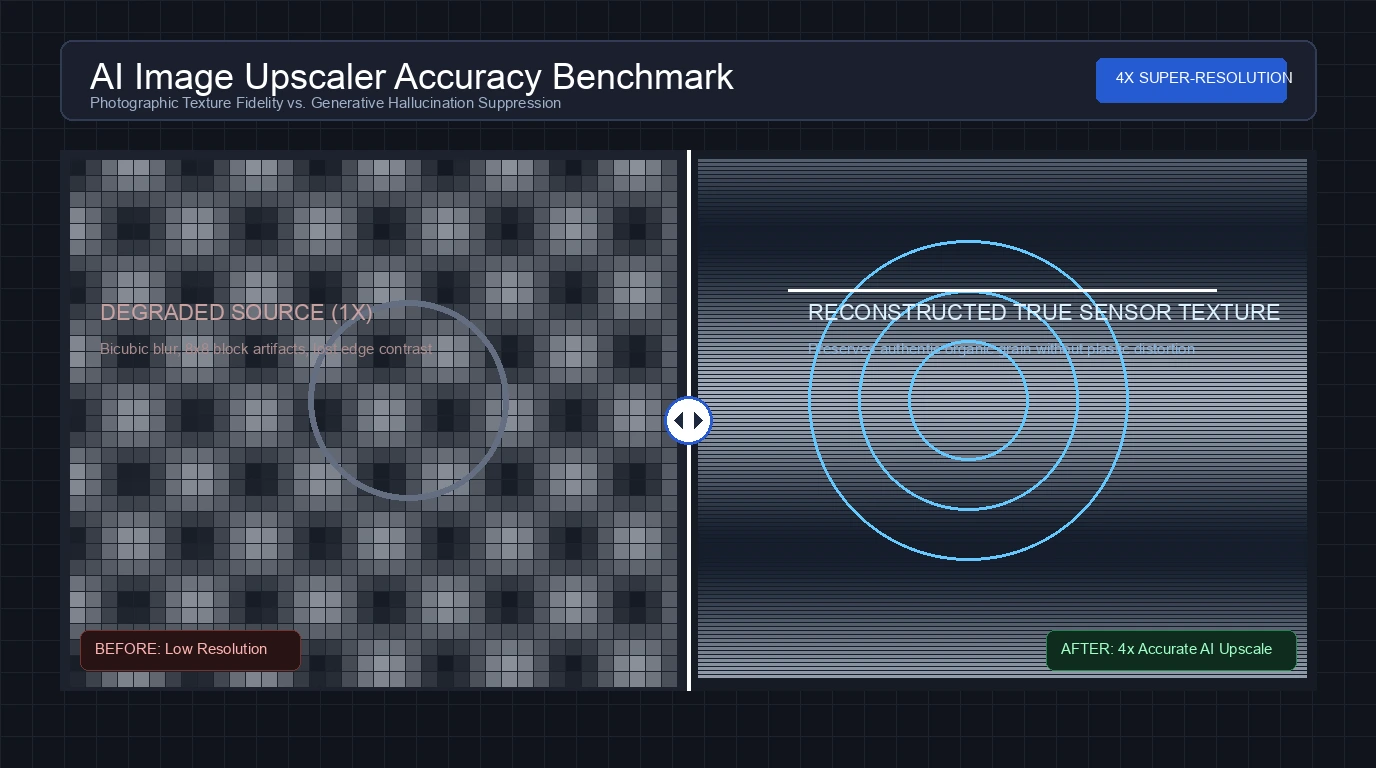
The most accurate AI image upscaler depends on whether you prioritize photographic fidelity, clean typographic lines, or zero generative hallucination. In technical imaging, accuracy does not mean inventing imaginary details to make a picture look deceptively sharp. True upscaling accuracy requires preserving original pixel geometry, maintaining authentic sensor grain, restoring readable typography on packaging, and suppressing compression artifacts without smearing skin into artificial plastic.
For professional studio photographers and print specialists who demand maximum sensor fidelity, Topaz Gigapixel serves as the industry standard desktop tool. For creators who need instant, unmetered super-resolution directly inside a web browser without accounts or generative distortion, CrispFix delivers the most accurate zero-cost solution. For artists and developers working with digital illustrations or manga line work on local hardware, Upscayl provides the cleanest open-source mathematical reconstruction.
Note: This article is written by the CrispFix team, and CrispFix is included in this comparison.
Key Takeaways (TL;DR)
- Best for Instant Browser Super-Resolution & Defect Repair: CrispFix restores degraded photos, removes optical glare, and upscales images with zero accounts, zero watermarks, and no artificial generative hallucination.
- Best for Professional Fine Art & Commercial Print Fidelity: Topaz Gigapixel provides desktop-grade neural models that recover authentic camera sensor textures up to 600% while keeping high-ISO noise natural.
- Best Free & Open-Source Offline Precision: Upscayl leverages local GPU compute via Vulkan to sharpen line art and graphics without sending private images to third-party servers.
- Best for Automated E-Commerce Product Upscaling: Let's Enhance pairs 16x cloud scaling with automated tone balancing and dedicated presets for commercial merchandise.
- Best for Rapid Mobile & Web Product Photography: Pixelcut delivers fast 4K upscaling tuned for online storefronts and social marketing assets.
- Best for Multi-Model Batch Workflows: VanceAI provides specialized anime, text, and photo models across both desktop software and web interfaces.
- Best Mathematical Baseline for Line Art & Anime: Waifu2x eliminates JPEG compression blocks and sharpens high-contrast artwork using classical convolutional neural networks.
AI Image Upscaler Accuracy & Pricing Comparison
The comparison table below outlines verified pricing, core strengths, maximum scaling factors, supported platforms, and recommended use cases across all seven evaluated tools:
| Tool | Verified Pricing | Core Accuracy Focus | Max Scale Factor | Supported Platforms | Recommended Use Case |
|---|---|---|---|---|---|
| CrispFix | 100% Free (no accounts, no subscriptions) | Natural detail preservation & defect inpainting | Up to 4x | Web (All modern browsers) | Fast browser upscaling for old family photos and portrait restoration |
| Topaz Gigapixel | $19/mo (annual commitment), $29/mo (monthly), or $149/yr | Camera sensor noise retention & sub-pixel fidelity | Up to 6x (desktop) | macOS, Windows (Standalone & Plugins) | Large-format gallery printing and commercial photography |
| Upscayl | 100% Free & Open-source (AGPL-3.0) | Deterministic edge reconstruction & zero compression | Up to 16x | Linux, macOS, Windows | Digital art, anime, vector-like line art, and privacy-critical tasks |
| Let's Enhance | 10 free credits; paid plans from $9/mo ($12 monthly) | Commercial catalog clarity & automated color balance | Up to 16x (500 MP) | Web (Cloud SaaS) | Online retail catalogs, marketing banners, and packaging assets |
| Pixelcut | Free web tool; Pro subscription on app stores | Quick product boundary sharpening & 4K export | Up to 4x | Web, iOS, Android | Social commerce, mobile product shots, and marketplace listings |
| VanceAI | 10 free credits; plans from $9/mo (200 credits) | Specialized model selection for text and anime | Up to 8x | Web & Windows PC | Batch upscaling across mixed graphic and photographic catalogs |
| Waifu2x | 100% Free & Open-source (MIT License) | Zero-hallucination JPEG artifact removal | 2x per pass | Web & Open-source CLI | High-contrast illustrations, manga scans, and retro sprite art |
(Note: All pricing structures and platform specifications verified against official vendor documentation as of September 2026).
What Defines "Accuracy" in AI Image Upscaling?
Many consumer AI tools produce visually striking images by secretly inventing new content. A diffusion-based model might turn blurry background foliage into crisp fictional ivy, or replace faded teeth with stock porcelain smiles. While this creative generation works well for synthetic concept art, it destroys the documentary accuracy of family archives, architectural documentation, and legal evidence.
When evaluating upscaling accuracy, engineers look at four specific metrics:
1. Photographic Texture Fidelity vs. Generative Hallucination
True super-resolution algorithms infer missing high-frequency data from surrounding pixel context without changing the subject's fundamental geometry. If an algorithm alters eye shape, changes facial bone structure, or turns subtle fabric weave into generic plastic smoothness, it fails the fidelity test. Accurate tools retain authentic skin pores, fabric threading, and lens characteristics.
2. Edge Integrity and Typographic Legibility
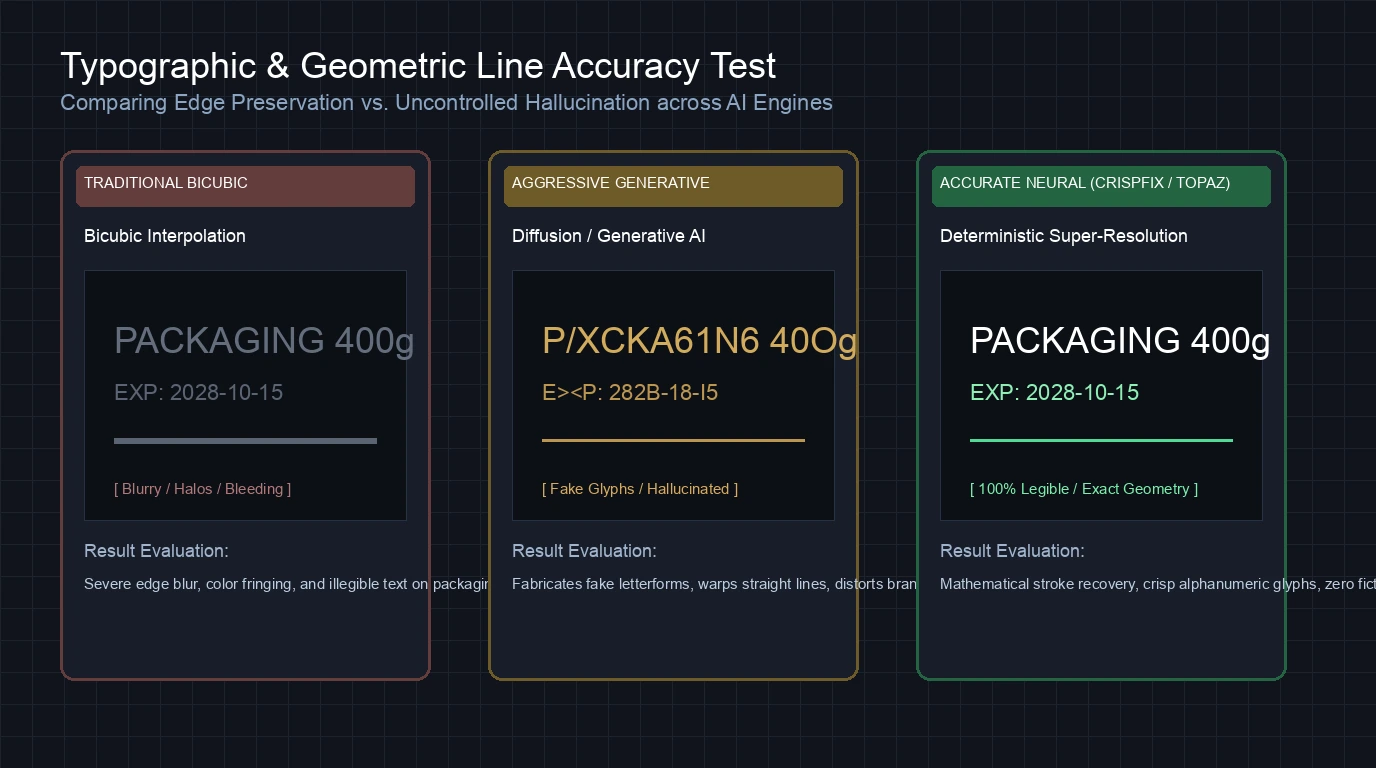
Low-resolution photographs often contain street signs, product labels, book titles, or license plates. Standard bicubic interpolation blurs these characters into unreadable smudges, while aggressive generative tools hallucinate gibberish glyphs. An accurate upscaler sharpens letterforms based on mathematical stroke geometry, preserving actual alphanumeric characters.
3. Artifact Suppression and Grain Preservation
Compressed JPEG images suffer from 8x8 block boundary distortions, ringing artifacts around sharp transitions, and chroma noise. Inaccurate upscalers frequently mistake high-ISO film grain for digital noise, scraping away texture and leaving behind an unnatural waxy finish. Accurate models distinguish between unwanted compression noise and intended film grain, removing blocks while keeping texture intact.
4. Color Range and Dynamic Contrast Stability
Upscaling should never distort tonal relationships. Inaccurate tools often crush shadow details into pure black or blow out highlights to create an illusion of higher contrast. High-accuracy algorithms preserve color balance across subtle gradient transitions in skies, skin tones, and metal reflections.
Detailed Reviews: The 7 Most Accurate AI Image Upscalers
1. CrispFix: Accurate Browser Super-Resolution with Zero Hallucination
For users who want accurate upscaling without installing heavy software or paying recurring subscriptions, CrispFix provides an unmetered, browser-based solution. The platform focuses on true photographic reconstruction rather than generative replacement, making it particularly reliable for family portraits, vintage prints, and documentary images.
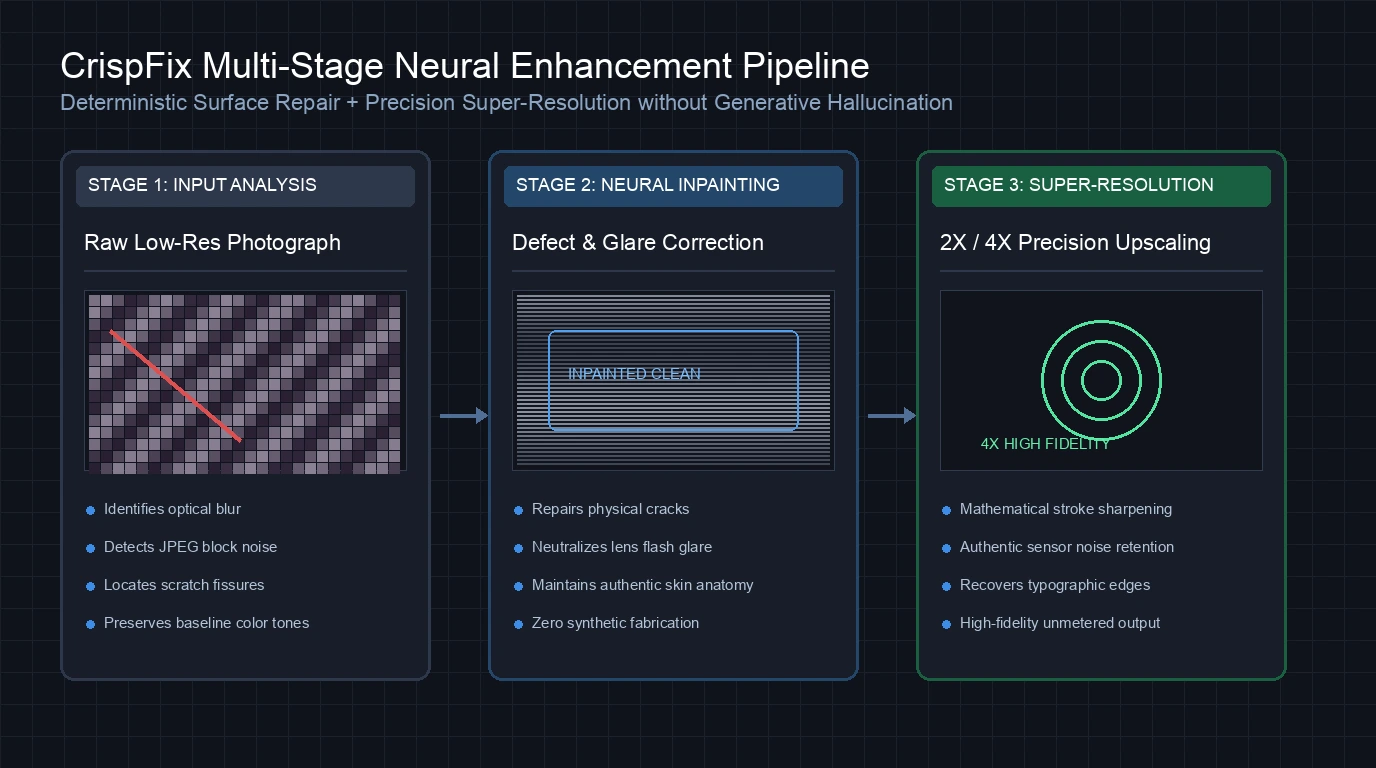
+-------------------------------------------------------------+
|                      CrispFix Pipeline                      |
|                                                             |
|  Low-Res Input       Neural Defect Fix     Super-Resolution |
|  [ Blurry / Faded ] -> [ Inpaint Scratches ] -> [ 2x / 4x ] |
|                             |                               |
|                     Zero Hallucination                      |
|                 (Preserves Original Face)                   |
+-------------------------------------------------------------+
Where CrispFix excels in accuracy is its disciplined preservation of human identity. Many commercial tools apply aggressive facial priors that replace your ancestor's actual facial features with a standardized digital face. CrispFix repairs surface abrasions, cleans optical reflections, and enhances sharpness while maintaining original eye shapes and authentic skin contours.
The platform includes dedicated specialized workflows. If your original photograph suffers from physical surface damage, you can combine upscaling with the old photo restoration tool to eliminate cracks before enlarging. For standard low-resolution snapshots, the resolution image enhancer doubles or quadruples canvas dimensions while keeping edges crisp.
Key Accuracy Advantages:
- Reconstructs authentic texture without fabricating fictional facial details or alien skin textures.
- Completely free with no watermark degradation, file quotas, or account sign-ups.
- Cleans physical scratches and flash glare directly inside your web browser.
Trade-offs to Consider:
- Designed for standard photographic aspect ratios rather than specialized gigapixel panoramic tiling.
- Does not offer offline local GPU execution for air-gapped workstations.
2. Topaz Gigapixel: The Industry Standard for Print and Studio Photography
Topaz Gigapixel remains the gold standard against which all professional upscaling tools are measured. Unlike generic cloud tools, Gigapixel is a dedicated desktop application engineered specifically for photographers, print labs, and graphic production houses who require uncompromising fidelity.
The software offers multiple trained machine learning models designed for specific image structures:
- Standard: Balanced enhancement for clean, modern digital captures.
- High Fidelity: Preserves authentic camera sensor noise patterns and fine textures without smoothing.
- Lines: Optimizes sharp architectural boundaries and technical schematics.
- Low Resolution: Reconstructs severely degraded or pixelated source files.
Gigapixel's standout strength is its ability to handle high-ISO camera files. Instead of wiping away photographic grain, the High Fidelity model recognizes the organic distribution of sensor noise, sharpening underlying image data while preserving tactile texture. This makes it indispensable for large-format gallery printing, where over-smoothed digital images look artificial on fine-art paper.
Key Accuracy Advantages:
- Exceptional sub-pixel edge detection that maintains authentic photographic grain.
- Standalone desktop processing with full support for Apple Silicon and modern Nvidia GPUs.
- Direct batch plugin support for Adobe Lightroom and Photoshop workflows.
Trade-offs to Consider:
- Substantial financial investment ($19/mo on annual commitment or $149/year).
- Demands powerful local hardware to process 50-megapixel files without significant wait times.
3. Upscayl: Open-Source Local GPU Precision for Graphics and Line Art
Upscayl has gained immense popularity among developers, digital artists, and open-source advocates. Built on top of the Real-ESRGAN architecture and powered by the Vulkan backend, Upscayl runs entirely on your local graphics card across macOS, Windows, and Linux.
Because Upscayl executes models locally without intermediate web compression, the output image suffers zero loss from secondary JPEG encoding. For digital illustrations, vector rasterizations, and anime artwork, Upscayl delivers some of the sharpest, most accurate geometric edges available.
The software provides multiple selectable models:
- Real-ESRGAN: General-purpose super-resolution for balanced photography.
- Remacri: Enhanced detail reconstruction for textured digital artwork.
- Digital Art: Specifically tuned to sharpen solid color blocks and prevent color bleeding.
For users handling sensitive personal archives or confidential client assets, Upscayl guarantees total privacy because no image data ever leaves your computer.
Key Accuracy Advantages:
- 100% free and open-source under the AGPL-3.0 license.
- Eliminates cloud compression loss by saving uncompressed PNG outputs directly to disk.
- Superior line preservation on digital art, comic panels, and high-contrast typography.
Trade-offs to Consider:
- Requires a Vulkan-compatible dedicated GPU; performance crawls on older integrated graphics.
- Can occasionally over-sharpen natural skin tones on photographic portraits.
4. Let's Enhance: Cloud Precision for Commercial E-Commerce Assets
Let's Enhance is a seasoned cloud-based super-resolution platform designed for marketing departments, digital agencies, and e-commerce merchants. It provides upscaling up to 16x, with an overall processing limit of 500 megapixels.
What sets Let's Enhance apart in accuracy is its Smart Enhance engine. When preparing product catalogs for high-resolution displays, the platform strikes an effective balance between edge sharpening and color fidelity. It suppresses compression noise around product packaging and apparel patterns without altering brand color values.
The cloud interface also provides automated light correction and background clean-up. For online store managers who must upscale hundreds of manufacturer-supplied product shots, its automated processing saves substantial manual retouching time.
Key Accuracy Advantages:
- Scales files up to 16x with high structural integrity on product packaging.
- Automated presets optimize contrast and white balance for commercial merchandise.
- Cloud processing frees up local computer memory during heavy batch operations.
Trade-offs to Consider:
- The free trial only provides 10 credits before requiring a paid monthly subscription ($9/mo billed annually).
- Cloud queuing can introduce processing delays during peak server loads.
5. Pixelcut: Fast Boundary Sharpening for Mobile and Social Commerce
Pixelcut focuses on speed and simplicity for independent online sellers, content creators, and social media managers. Available as both a free online web upscaler and a mobile application for iOS and Android, Pixelcut allows users to upscale images to 4K or 8K resolution in seconds.
In terms of accuracy, Pixelcut performs admirably on clean studio photography with solid or simple backgrounds. Its fast upscale algorithm excels at defining clear product boundaries, making it ideal for Amazon, Shopify, and Etsy product listings where crisp silhouette edges are essential.
However, on complex photographs with fine organic textures (such as animal fur, distant forest foliage, or intricate lace), Pixelcut tends to prioritize smooth, punchy contrast over micro-detail fidelity.
Key Accuracy Advantages:
- Extremely fast processing times, often returning completed 4K files in under five seconds.
- Convenient web-based interface that requires no credit card for basic downloads.
- Integrated background removal and template tools for e-commerce workflows.
Trade-offs to Consider:
- Tends to apply strong contrast smoothing that can erase subtle film grain.
- Mobile Pro subscription required for unrestricted batch output and maximum resolution exports.
6. VanceAI: Multi-Model Versatility for Varied Commercial Catalogs
VanceAI offers a comprehensive suite of image processing tools accessible through both an online browser workspace and a downloadable Windows desktop client. Rather than relying on a single monolithic algorithm, VanceAI routes images through specialized models based on content category.
Users can choose between dedicated processing pipelines:
- Enlarge Model: General-purpose super-resolution up to 8x.
- Anime Model: Cleans noise and sharpens lines on illustrated artwork.
- Text Enhancement Model: Specifically tuned to restore blurry alphanumeric characters on documents and labels.
This modular architecture gives VanceAI a distinct accuracy advantage when working with text-heavy images. By applying optical character recognition priors, the text model rebuilds legible stroke widths on blurred signage where generic photographic models often produce warped lines.
Key Accuracy Advantages:
- Specialized models for text recovery, anime artwork, and general photography.
- Scales images up to 8x with independent noise reduction controls.
- Offers both pay-as-you-go credit packages and monthly subscription options.
Trade-offs to Consider:
- The free tier offers 10 trial credits before requiring payment.
- The interface contains multiple upsell prompts across different specialized modules.
7. Waifu2x: The Deterministic Benchmark for Line Art and Anime
Originally created by developer nagadomi, Waifu2x is an iconic milestone in the history of neural super-resolution. Built around deep convolutional neural networks, Waifu2x was specifically trained on high-contrast Japanese animation art and manga scans.
Despite the emergence of newer diffusion models, Waifu2x remains one of the most accurate tools in existence for its target domain. Because it uses classical convolutional layers rather than generative diffusion, Waifu2x exhibits zero hallucination. It will never invent details that do not exist in the source file.
Original Compressed File -> Waifu2x 2D CNN -> Exact Reconstructed Vector Lines
(Contains JPEG Block Noise)                    (Zero Generative Hallucination)
For 2D digital art, scanned comic strips, and technical diagrams, Waifu2x removes blocky compression artifacts and sharpens outlines with surgical accuracy. It processes images in 2x increments, offering four discrete levels of JPEG noise reduction.
Key Accuracy Advantages:
- 100% free and open-source under the MIT license, accessible via web and terminal CLI.
- Zero generative hallucination; every pixel modification strictly derives from input mathematics.
- Unmatched precision on flat-color illustrations and sharp typography.
Trade-offs to Consider:
- Limited to 2x upscaling per pass; achieving 4x requires chaining two sequential passes.
- Not optimized for complex real-world photographic textures like human skin or outdoor scenery.
How to Choose the Most Accurate Upscaler for Your Files
To achieve the best possible result, match your image type to the upscaler that specializes in its specific visual characteristics. For a broader overview of image quality workflows, you can also consult our guide on the best AI enhancer.
                            Decision Matrix
                                   │
               What kind of image are you upscaling?
                                   │
         ┌─────────────────────────┼─────────────────────────┐
         ▼                         ▼                         ▼
   Old / Damaged             Studio RAW /               Illustrations /
   Family Photos            Fine Art Print                 Line Art
         │                         │                         │
         ▼                         ▼                         ▼
     CrispFix               Topaz Gigapixel              Upscayl /
  (Restores faces           (Keeps sensor grain,          Waifu2x
   without fake data)        print-ready 6x)          (Sharp vectors,
                                                       no artifacts)
Use the practical guidelines below to guide your choice:
-
For Vintage Family Photographs and Damaged Portraits:
Choose CrispFix. It removes scratches and enhances clarity without turning your relatives into unrecognizable AI caricatures, and it requires no subscription or software installation. -
For Professional Gallery Prints and Commercial Photography:
Choose Topaz Gigapixel. Its High Fidelity model preserves genuine camera sensor noise and produces the cleanest large-format prints. -
For Anime, Digital Comics, and Vector Graphics:
Choose Upscayl (for modern GPU power) or Waifu2x (for pure mathematical determinism). Both tools sharpen lines without introducing cloud compression artifacts. -
For High-Volume Online Product Catalogs:
Choose Let's Enhance or Pixelcut. Both provide streamlined automated workflows that sharpen merchandise photos for desktop and mobile shoppers.
FAQ
What makes an AI image upscaler accurate rather than just sharp?
An accurate upscaler reconstructs missing image details based strictly on surrounding contextual data and authentic material physics. In contrast, an upscaler that merely sharpens often uses harsh contrast filters that create halo artifacts around edges. Even worse, generative models sometimes hallucinate fictional details—such as inventing fake teeth, unnatural skin wrinkles, or incorrect lettering—that were never present in the original photograph.
Why do some AI upscalers create distorted or creepy faces?
Distorted faces typically occur when an upscaler applies a facial restoration model that is too aggressive for the source resolution. When fed a tiny, heavily blurred face, generative models attempt to replace the low-resolution blur with a high-resolution facial template synthesized from training data. If the model misinterprets the angle of the jaw or the gaze of the eyes, it produces an unnatural, uncanny appearance. Accurate tools like CrispFix preserve original facial proportions without generative replacement.
Can an AI upscaler accurately restore blurry text on documents?
AI upscalers can successfully recover text if the characters retain enough structural definition for the neural network to identify character strokes. Specialized text models (such as those in VanceAI or Topaz) leverage optical character recognition priors to straighten edges and restore readable fonts. However, if a document is so severely degraded that individual letter strokes have merged into uniform gray blobs, any tool that claims to read the text is guessing rather than accurately upscaling.
Are free browser-based upscalers accurate enough for commercial printing?
Yes, provided the tool uses a modern super-resolution architecture and outputs uncompressed or high-quality image files. Browser-based enhancers like CrispFix provide clean 2x and 4x upscaling that effectively doubles or quadruples pixel count for standard print sizes. For ultra-large commercial billboards or museum-grade gallery prints requiring specialized RAW sensor noise handling, dedicated desktop software like Topaz Gigapixel remains the preferred choice.