
BeFunky Alternative: 6 Best Free & Paid Photo Editors in 2026
Looking for a BeFunky alternative? Compare the 6 best free and paid photo restoration, design, and collage tools with transparent pricing and no paywalls.
BeFunky established a loyal following by delivering accessible photo editing, collage creation, and graphic design in a single web interface. However, evolving subscription walls and workflow constraints have led many creators to seek a dependable befunky alternative. While the free version allows basic cropping and previewing adjustments, essential utilities—including high-resolution exports, AI background removal, and batch processing—are locked behind subscriptions. BeFunky Plus costs $14.99 per month (or $83.88 billed annually at $6.99 per month), while BeFunky Pro reaches $24.99 per month (or $149.88 billed annually at $12.49 per month). These recurring costs prompt creators handling frequent photo projects to explore more cost-effective solutions.
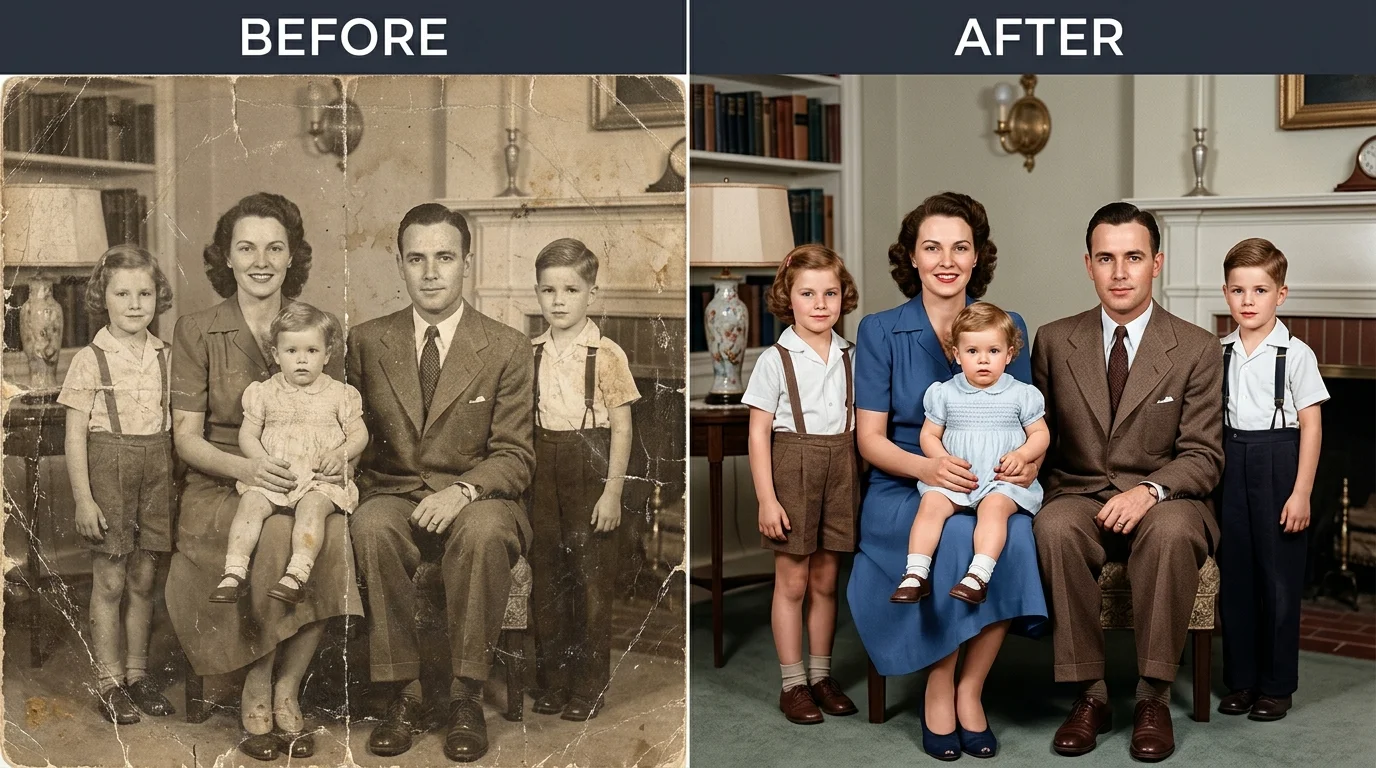
A key challenge lies in photographic defect repair. BeFunky excels at graphic layouts, social banners, and digital art filters, but it is not built for precision optical restoration. When portraits suffer from camera flash on glasses or historical family prints exhibit tears and creases, BeFunky provides no dedicated tools to rebuild lost facial textures without erasing the background. For creators seeking dedicated defect repair, complex layer control, or unmetered editing without monthly subscriptions, selecting the right befunky alternative is essential.
For optical glare removal and archival restoration without subscription paywalls, CrispFix delivers an unmetered, zero-cost befunky alternative. For team marketing graphics and social banners, Canva remains the top template-driven workspace. For desktop-grade PSD layer manipulation in a browser, Photopea stands out as an advanced web editor. For fast daily adjustments, Pixlr serves as an agile in-browser tool, while Adobe Express provides commercial generative AI capabilities.
Note: This site operates CrispFix and we've aimed to evaluate all tools objectively.
Key Takeaways (TL;DR)
- Best for Optical Glare & Vintage Photo Restoration: CrispFix repairs eyeglasses flash reflections, restores scratched historical family prints, and colorizes monochrome scans as an unmetered befunky alternative without deleting original backgrounds.
- Best for Social Media Templates & Marketing Collateral: Canva provides the largest catalog of pre-designed marketing assets, drag-and-drop flyers, and team collaboration workspaces.
- Best for In-Browser Layered PSD Editing: Photopea replicates advanced Photoshop workflows directly in browser memory with support for layer masks, smart objects, and raw formats without mandatory fees.
- Best for Fast In-Browser Adjustments & Cropping: Pixlr offers dual express and advanced workspaces for quick aspect ratio adjustments, basic portrait touch-ups, and lightweight framing.
- Best for Commercially Safe Generative AI: Adobe Express delivers Firefly-powered generative fill, background cutouts, and direct Creative Cloud syncing for multi-channel assets.
- Benchmark for Pre-Made Collages & Artsy Effects: BeFunky maintains an intuitive Collage Wizard and signature digital art cartoon filters if your budget supports its monthly subscription plans.
BeFunky Alternatives Feature & Pricing Comparison
The table below contrasts free tier allowances, key strengths, supported platforms, and practical use cases across each befunky alternative:
| Tool | Free Tier Allowance | Best Strength | Supported Platforms | Ideal Use Case |
|---|---|---|---|---|
| CrispFix | 100% free; unmetered web processing; no watermarks | Optical glare removal & scratch inpainting | Web (All browsers) | Restoring damaged portraits & vintage family prints |
| Canva | 1.6M+ templates; 4.7M+ assets; 5 GB cloud; 20 AI uses | Drag-and-drop templates & team brand kits | Web, iOS, Android, Desktop | Collaborative marketing collateral & social flyers |
| Photopea | Full feature set supported by non-intrusive display ads | Native PSD compatibility & layer mask control | Web (All browsers) | Advanced Photoshop-style manual photo editing |
| Pixlr | 3 daily file saves; ad-supported editing interface | Dual express and advanced layer workspaces | Web, iOS, Android | Fast daily image resizing, cropping, and framing |
| Adobe Express | Core quick actions; 25 monthly AI credits; 5 GB storage | Firefly generative cutouts & Adobe syncing | Web, iOS, Android | Multi-channel marketing graphics & quick asset prep |
| BeFunky (Benchmark) | Basic cropping and preview edits; AI features locked | Collage Wizard & artistic digital art filters | Web, iOS, Android | Casual photo collages & stylized social imagery |
(Note: All pricing, storage quotas, and feature tiers verified against official platform documentation as of September 2026).
Why Seek a BeFunky Alternative?
While BeFunky offers convenient features for casual scrapbooking and digital graphics, creators handling professional asset preparation and photo restoration frequently encounter two distinct hurdles that make a dedicated befunky alternative necessary:
1. Subscription Paywalls for Premium and Batch AI Features
BeFunky's free tier functions primarily as an introductory editor. When you attempt to download designs containing premium stickers, unlock smart portrait retouching, or utilize AI background removal, the platform presents a subscription paywall. Upgrading to BeFunky Plus costs $14.99 per month (or $83.88 annually at $6.99 per month). For users needing batch AI editing or batch background removal, BeFunky Pro costs $24.99 per month (or $149.88 annually at $12.49 per month). Furthermore, the monthly AI processing credits included with Pro subscriptions do not roll over to subsequent months. For creators with sporadic editing needs, paying recurring monthly fees makes an unmetered photo restoration tool significantly more cost-effective.
2. Creative Art Filters vs. Dedicated Optical Defect Restoration
BeFunky focuses heavily on creative effects such as cartoonizers, oil painting presets, and collage layouts. However, it lacks dedicated neural models for physical defect repair and optical correction:
- Eyeglasses Flash Glare: BeFunky has no automated algorithm to isolate and remove camera flash reflections from spectacle lenses. Attempting manual clone stamping across delicate eye features creates smudged, unnatural portraits.
- Archival Scratch Inpainting: General smoothing tools blur physical paper tears across vintage photographs, smearing original film grain rather than reconstructing lost photographic detail.
- Monochrome Colorization: BeFunky relies on color tint filters rather than historical semantic neural models, resulting in monochromatic color washes instead of accurate skin, clothing, and scenery tones.
When your objective is high-fidelity photographic recovery rather than decorative filters, switching to a specialized befunky alternative ensures pristine visual quality.
Detailed Reviews: The Top 6 BeFunky Competitors
1. CrispFix — Best for Glare Removal & Vintage Photo Restoration
General design suites treat photos as flat graphic layers. When an archival family print has severe surface cracks or a studio headshot is compromised by flash reflections on glasses, general editors cannot reconstruct obscured facial anatomy. CrispFix functions as a specialized restoration utility engineered specifically to reconstruct damaged pixels using deep neural inpainting models.
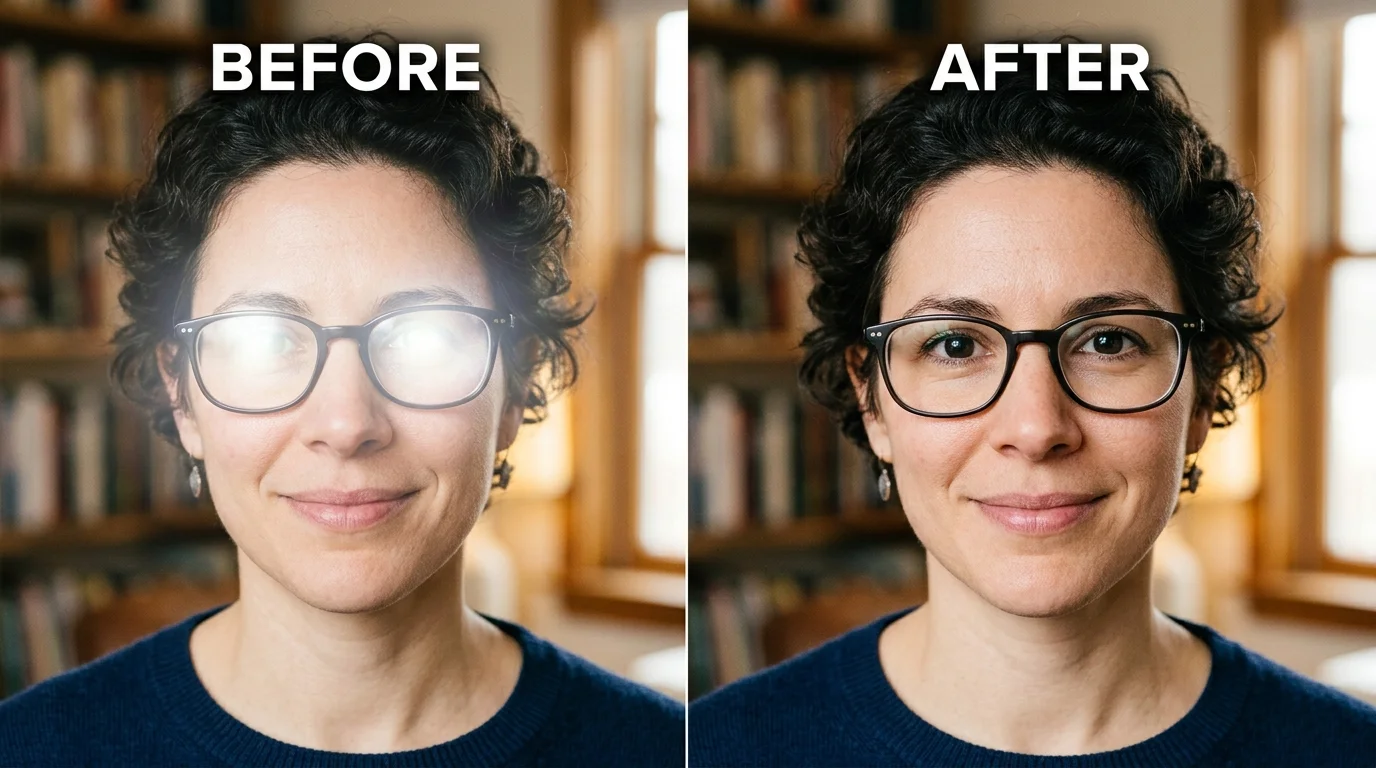
Rather than erasing authentic backgrounds, CrispFix provides a dedicated remove eyeglass glare tool that eliminates harsh reflections while restoring natural iris texture and eyelid contours. Photographers handling outdoor lens flares can utilize the specialized photo glare remover to preserve natural lighting balance. For family archives, CrispFix repairs physical cracks, tears, and water stains with an automated restoration engine. Creators working with historical archives can pair this with a neural photo colorizer to colorize black and white photos with lifelike tones, or use our black and white converter for clean monochrome styling. If your workflow involves mobile product shots or cutout tasks, CrispFix also serves as an effective option for clean defect cleaning without monthly subscriptions.
- Where it shines: Dedicated neural models for eyeglasses flash glare removal and vintage scratch repair; 100% free web access without accounts, credit limits, or watermarks; preserves authentic photo backgrounds.
- Where BeFunky is better: BeFunky provides a full graphic design canvas with over a million free stock images, thousands of vector graphics, and a flexible Collage Wizard that CrispFix does not offer.
- Pricing: 100% free web utility with direct high-resolution downloads.
- Verdict: Choose CrispFix as your befunky alternative whenever you need to restore damaged photos, colorize historical prints, or clear spectacle glare before assembling graphic projects.
2. Canva — Best for Template Volume & Collaborative Graphic Design
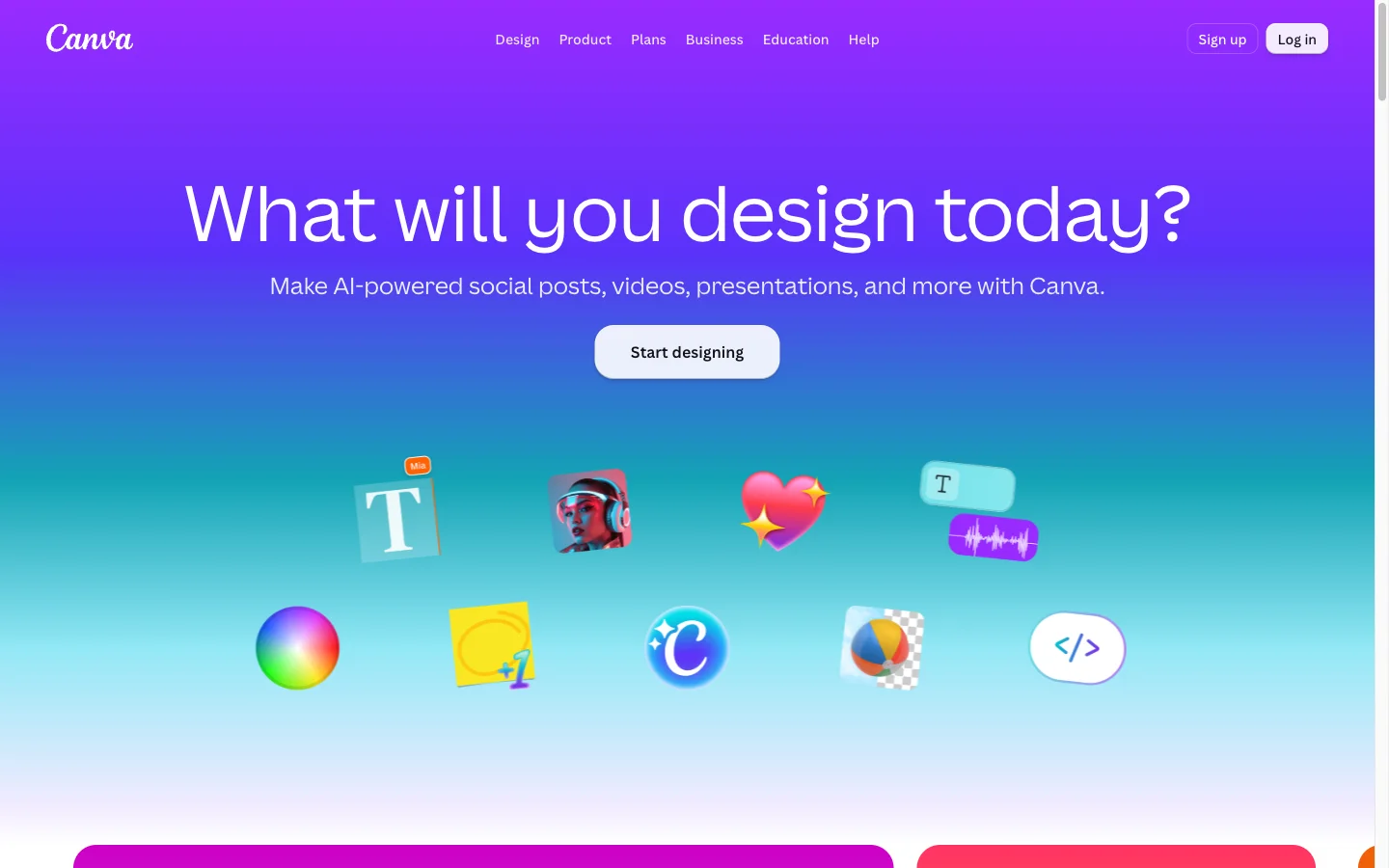
Canva is the benchmark for online graphic design and visual marketing. With millions of active creators worldwide, it offers an expansive ecosystem that serves as an all-encompassing befunky alternative for social media managers and marketing teams.
While BeFunky provides a capable collage maker, Canva offers over 1.6 million templates on its free tier and millions of premium layouts on Pro. Teams can collaborate simultaneously on social carousels, slide presentations, brand kits, and print collateral with centralized asset libraries and scheduled publishing.
- Where it shines: Vast library of professionally designed templates across all formats; real-time multi-user team collaboration; comprehensive brand kit locking and direct social media scheduling in Canva.
- Where BeFunky is better: BeFunky features more distinct digital art and cartoonizer effects for stylized visual edits, alongside a simpler interface for quick photo collages.
- Pricing: Canva Free includes 1.6M+ templates, 4.7M+ design assets, 5 GB storage, and 20 lifetime AI uses; Canva Pro is $180/year ($15/month) for individuals; Canva Business is $250 per user per year.
- Verdict: Choose Canva as a versatile befunky alternative if you need comprehensive marketing templates, collaborative team workflows, and consistent brand asset management.
3. Photopea — Best for In-Browser Layered PSD Editing
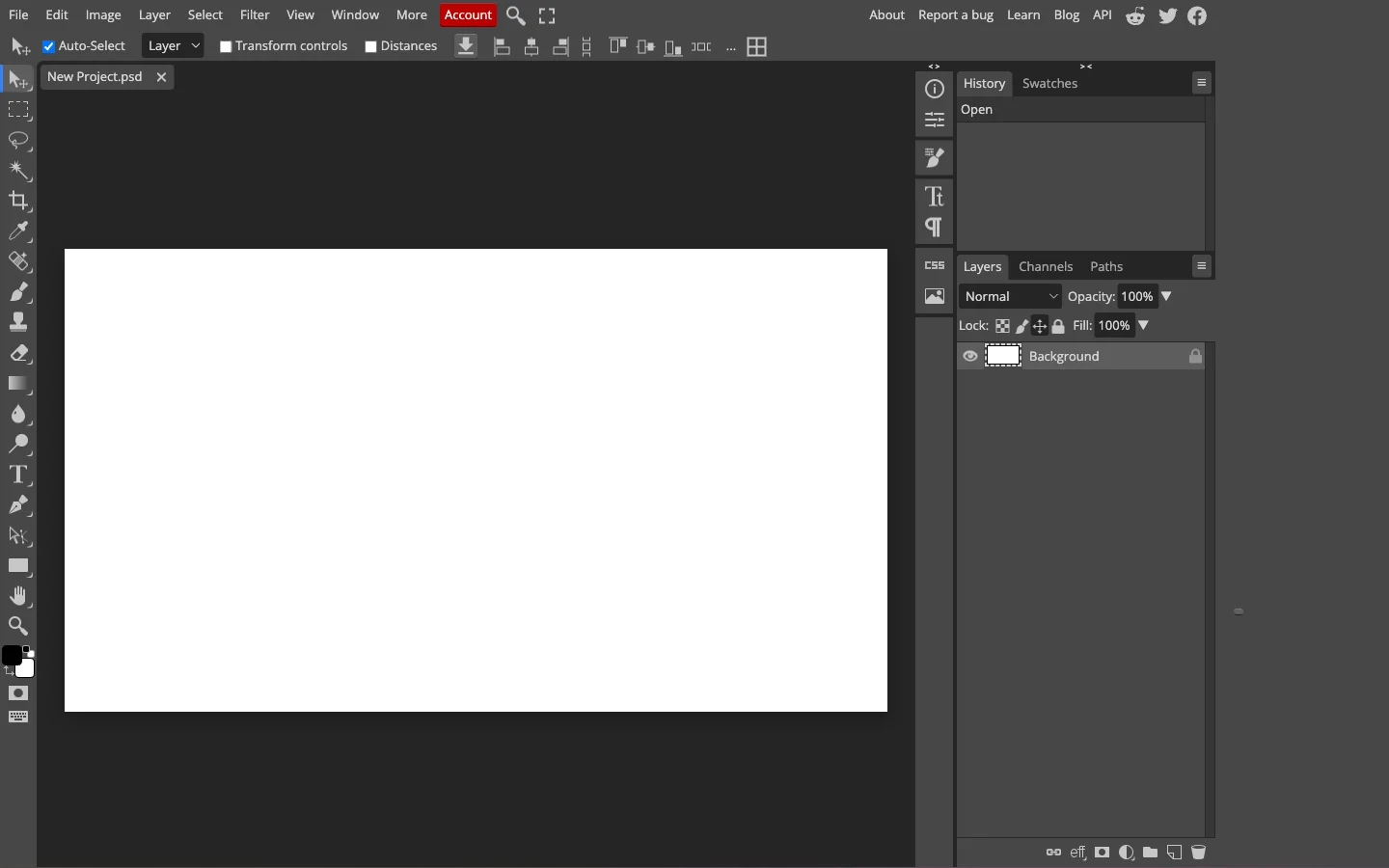
If you find BeFunky's rigid template layout restricting and need true layer masks, custom paths, and blend modes, Photopea is an exceptional befunky alternative. Developed by Ivan Kutskir, Photopea runs a complete Photoshop-compatible editing workspace directly inside your web browser.
Because Photopea executes locally via WebAssembly and browser memory, your photos are processed with zero cloud upload delays. It supports native PSD, AI, Sketch, and raw camera files, giving experienced creators complete control over clone stamps, adjustment layers, channel selections, and typography without requiring a paid software license.
- Where it shines: Comprehensive Photoshop-grade layer editing with masks, smart objects, and pen paths; complete compatibility with native PSD and vector files; 100% free tool access without account registration in Photopea.
- Where BeFunky is better: BeFunky has a significantly gentler learning curve for non-designers who prefer automated collage generation and one-click photo effects.
- Pricing: 100% free with non-intrusive sidebar advertisements; optional Premium ad-free subscription is $5/month ($40/year), expanding undo history from 30 to 60 steps and including 5 GB of Peadrive cloud storage.
- Verdict: Select Photopea as a desktop-grade befunky alternative if you require full layer control, professional selection tools, and native PSD file compatibility.
4. Pixlr (Pixlr E & X) — Best for Fast Daily Browser Retouching
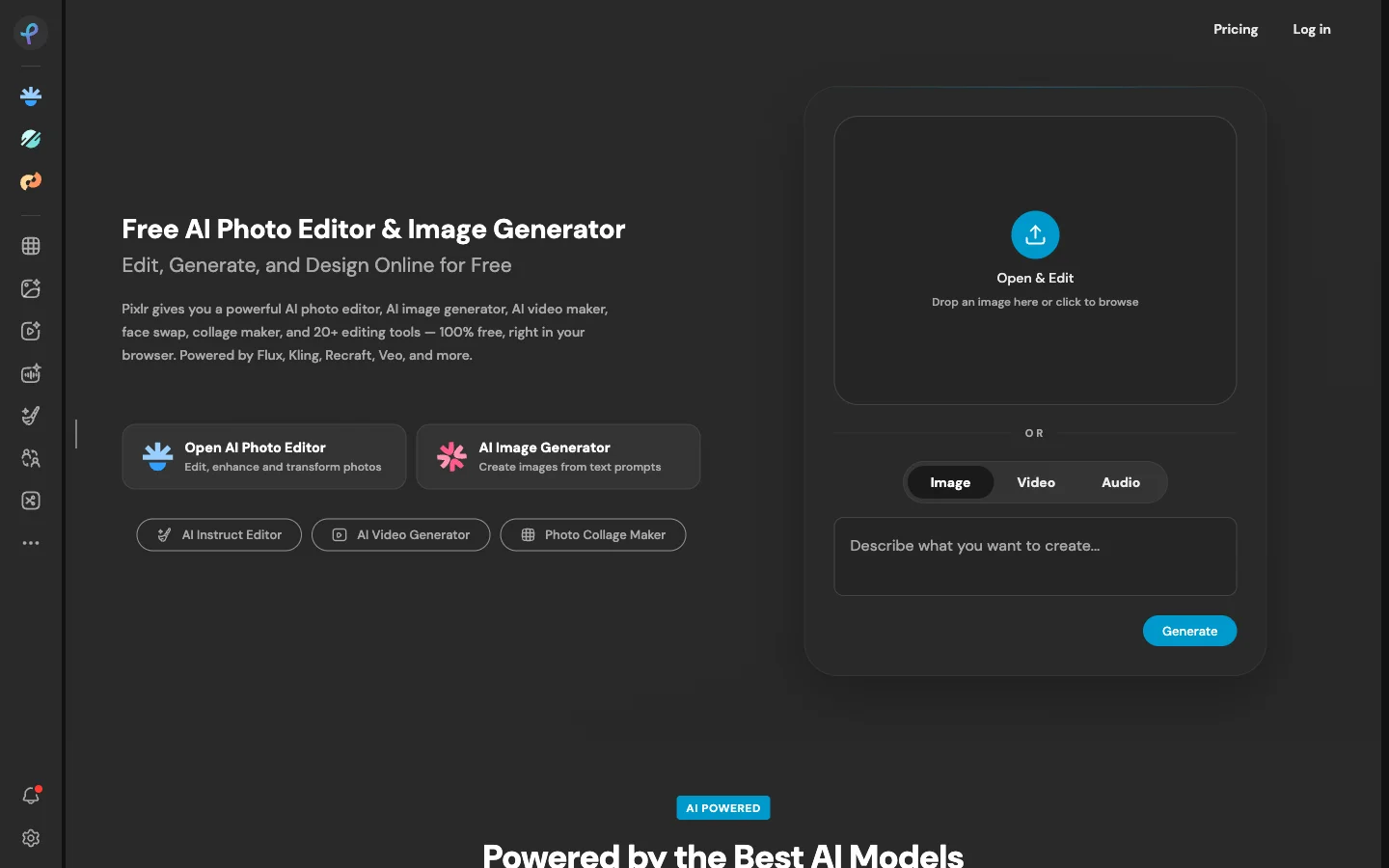
For users who want a balance between guided templates and manual layer editing, Pixlr acts as a capable befunky alternative. The suite divides its functionality into two web applications: Pixlr X for fast social framing and simple adjustments, and Pixlr E for multi-layer retouching and detailed masking.
Pixlr operates smoothly on lightweight laptops, Chromebooks, and tablets. It includes automated cutout tools, portrait retouching brushes, preset color overlays, and classic image manipulation utilities.
- Where it shines: Dual interface workspaces allowing creators to switch between express templates and advanced layer tools; responsive performance on mobile and desktop browsers in Pixlr.
- Where BeFunky is better: BeFunky provides a more intuitive Collage Wizard for quickly assembling multi-photo arrangements with custom spacing and rounded borders.
- Pricing: Free tier supports basic adjustments with ads and roughly 3 daily file saves; Pixlr Plus costs $2.49/month ($1.99/month billed annually) for unlimited saves; Pixlr Premium costs $9.99/month ($7.99/month billed annually) for full AI features, 50,000+ templates, and 1,000 AI credits.
- Verdict: Turn to Pixlr as a lightweight befunky alternative if you need an accessible in-browser photo suite for everyday resizing, quick cutouts, and lightweight adjustments.
5. Adobe Express — Best for Marketing Collateral & Firefly AI
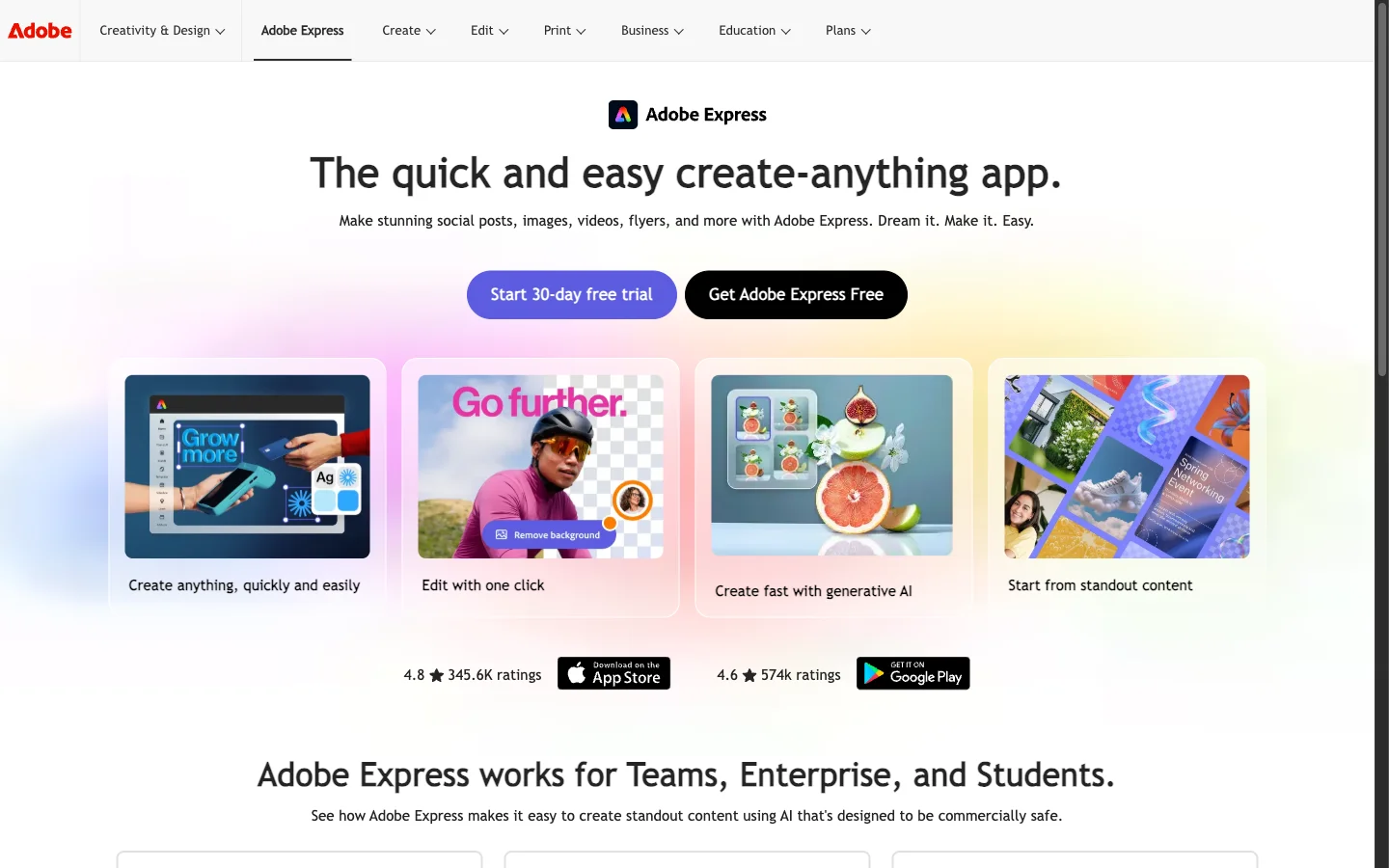
Adobe Express represents Adobe's dedicated cloud-based design and marketing application, serving as a powerful befunky alternative for content creators and commercial brands. Express combines intuitive drag-and-drop templates with imaging technology derived from Photoshop and Illustrator.
A major advantage of Adobe Express is its integration with Adobe Firefly generative AI. Users can generate commercially safe images, apply text styling effects, and perform accurate background removals. Creative Cloud subscribers can also link assets directly from Photoshop and Illustrator libraries into Express projects.
- Where it shines: Commercially safe generative AI tools powered by Adobe Firefly; high-precision background removal; seamless integration with Adobe Creative Cloud libraries in Adobe Express.
- Where BeFunky is better: BeFunky is simpler for quick collage creation and offers more stylized vintage photo filters for casual hobbyists.
- Pricing: Free plan includes thousands of templates, core quick actions, 25 monthly AI credits, and 5 GB cloud storage; Premium plan costs $9.99/month ($99.99/year) with 250 monthly AI credits, 100 GB storage, and access to over 30,000 Adobe Fonts.
- Verdict: Opt for Adobe Express as a generative AI befunky alternative if you want reliable AI-assisted cutouts, brand consistency, and smooth integration with professional Adobe applications.
6. BeFunky (Reference Benchmark) — The Casual Design & Collage Benchmark
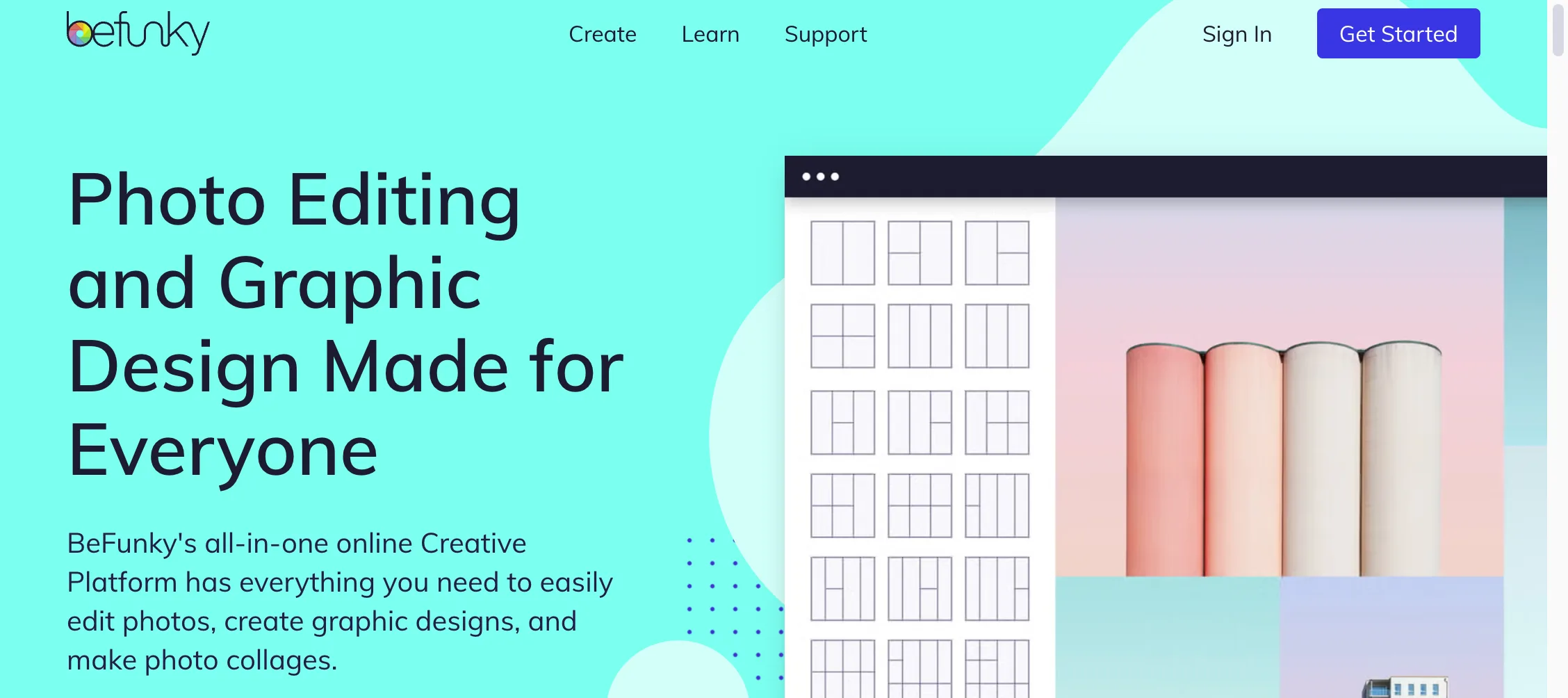
To maintain an objective perspective when choosing a befunky alternative, it is helpful to evaluate why BeFunky remains a popular creative choice. With its three integrated hubs—Photo Editor, Collage Maker, and Graphic Designer—BeFunky provides a unified platform for casual creators.
BeFunky's signature strength is its Collage Wizard, which automatically arranges uploaded photos into balanced grids without manual cropping. Furthermore, its Digital Art collection provides celebrated cartoonizer and sketch filters that transform standard photos into stylized artwork with a single click.
- Where it shines: Streamlined Collage Wizard for rapid multi-photo layouts; distinctive artistic cartoonizer and digital painting effects; library containing over a million free stock images and thousands of vector graphics.
- Where alternatives are better: CrispFix provides vastly superior defect inpainting for scratched archival photos, eyeglasses flash glare removal, and natural colorization without paywalls; Canva provides larger marketing template catalogs; Photopea provides native PSD layer masking.
- Pricing: Free plan offers basic photo editing with premium feature watermarks and locks; BeFunky Plus is $14.99/month ($83.88/year billed annually at $6.99/month); BeFunky Pro is $24.99/month ($149.88/year billed annually at $12.49/month) including batch AI processing.
- Verdict: BeFunky remains an appealing tool for hobbyists and scrapbookers who prioritize artistic cartoon filters and rapid collage layouts, provided your editing needs fit within its subscription pricing.
How to Choose the Right BeFunky Alternative
Finding the most effective befunky alternative depends on your primary editing goals, technical proficiency, and budget requirements:
- For repairing vintage prints and removing eyeglasses flash glare: Use CrispFix. Engineered with specialized neural restoration models, CrispFix repairs physical scratches, removes harsh spectacle reflections, and colorizes vintage portraits as an unmetered befunky alternative without modifying backgrounds or imposing subscription costs.
- For marketing graphics, flyers, and collaborative social posts: Choose Canva as your befunky alternative. Its library of millions of pre-made templates and team workspaces make it the strongest platform for social media management.
- For manual layer masks and Photoshop PSD file editing: Use Photopea as a free befunky alternative. It replicates desktop photo editing software directly in your browser with zero mandatory software costs.
- For quick everyday browser cropping and lightweight adjustments: Select Pixlr as an agile befunky alternative. Its dual express and advanced workspaces deliver an agile environment for daily social resizing.
- For commercially safe generative AI and Adobe Cloud integration: Choose Adobe Express as your enterprise befunky alternative. It delivers high-precision cutouts, Firefly text effects, and seamless brand asset synchronization.
Frequently Asked Questions (FAQ)
What is the best free BeFunky alternative for photo restoration?
CrispFix is the best free befunky alternative for photographic defect repair. Unlike general design editors that apply global smoothing filters, CrispFix utilizes neural inpainting models engineered specifically to heal scratches on vintage prints, eliminate flash glare from eyeglasses, and colorize historical black and white portraits. It is 100% free with no subscriptions, credit caps, or watermarked downloads.
Is BeFunky completely free to use?
BeFunky offers a free tier, but many core tools—such as AI background removal, batch processing, and advanced digital art effects—are paywalled. Accessing the full feature set requires a BeFunky Plus subscription ($14.99 per month or $83.88 annually) or a BeFunky Pro subscription ($24.99 per month or $149.88 annually). If you need full tool access without paying recurring fees, selecting a free befunky alternative like CrispFix (for defect restoration) or Photopea (for layered editing) provides unmetered functionality.
Can BeFunky remove glare from eyeglasses in photos?
No, BeFunky does not include a dedicated tool for optical glare removal. Attempting to hide camera flash reflections on spectacles using BeFunky's manual clone stamp or blur brushes generally smudges the subject's eyes and obscures iris texture. CrispFix provides an automated neural glare remover designed specifically to eliminate spectacle reflections while preserving natural eye details.
What is the best BeFunky alternative for photo collages?
If you require a befunky alternative specifically for creating collages, Canva is the top option. It offers thousands of free collage grids, flexible border adjustments, and a vast library of free stickers and fonts. For quick automated collage assembly without creating an account, BeFunky's Collage Wizard remains strong, while Canva provides greater creative flexibility for marketing collateral.
Next Steps & Related Guides
If you are evaluating specialized in-browser tools to enhance and restore your photography workflows, explore our related reviews and utilities:
- Old Photo Restoration Online Free: Learn how dedicated neural models heal archival scratches, tears, and water spots.
- GIMP Alternative: Compare open-source and browser-based alternatives for layered graphic design and image manipulation.
- PhotoRoom Alternative: Review specialized background removal and product photography tools for modern e-commerce.